


You know the feeling. That folder labeled "Misc Downloads 2025" that's somehow 87GB. The 50,000 files you've accumulated that you swear you'll organize "someday." The post title says "pure hoarding shame," but I see something different: raw material. Potential. A collector's instinct waiting for direction.
In 2026, data isn't just power—it's currency. But grabbing files willy-nilly without a system? That's like trying to drink from a firehose. You get soaked, but you're not actually quenching your thirst. The real magic happens when you turn that hoarding impulse into targeted, intelligent collection. And that's where proxies and web scraping come in.
This isn't about adding more to the pile. It's about transforming what you already want to collect into something structured, valuable, and actually usable. Let's build a system worthy of your ambitions.
The Hoarder's Mindset vs. The Scraper's Strategy
First, let's reframe that "shame." Hoarding often comes from FOMO—the fear that if you don't grab it now, it might disappear. Sound familiar? That's not irrational; it's a legitimate concern in the age of link rot, disappearing platforms, and paywalled content. Your instinct to preserve is correct. The problem is the method.
Manual saving is slow, inconsistent, and impossible to scale. Clicking "Save As" 50,000 times isn't a strategy—it's a cry for help. Web scraping automates that impulse. Instead of you visiting a site and downloading, you write instructions (or use a tool) that does it for you, systematically, across thousands of pages.
But here's the immediate wall you hit: websites don't like automated visitors. They see your script making rapid, repeated requests from the same IP address and think: "Danger! Bot! Denial-of-service attack!" They'll block you faster than you can say "captcha." This is the fundamental problem that turns casual collection into a technical challenge. Your home IP address is a single point of failure.
Why Your Home IP is a Liability (And Proxies Are the Fix)
Think of your IP address like your home address. If you ordered 50,000 packages to your doorstep in one day, the delivery company would get suspicious. The post office might blacklist you. It's the same online.
Every request your computer makes carries your IP. When a website's server sees that same address hammering it for data every second, it triggers defense mechanisms. You'll get hit with CAPTCHAs, rate limiting, or a complete IP ban. Your scraping project—and your regular internet browsing from that IP—grinds to a halt.
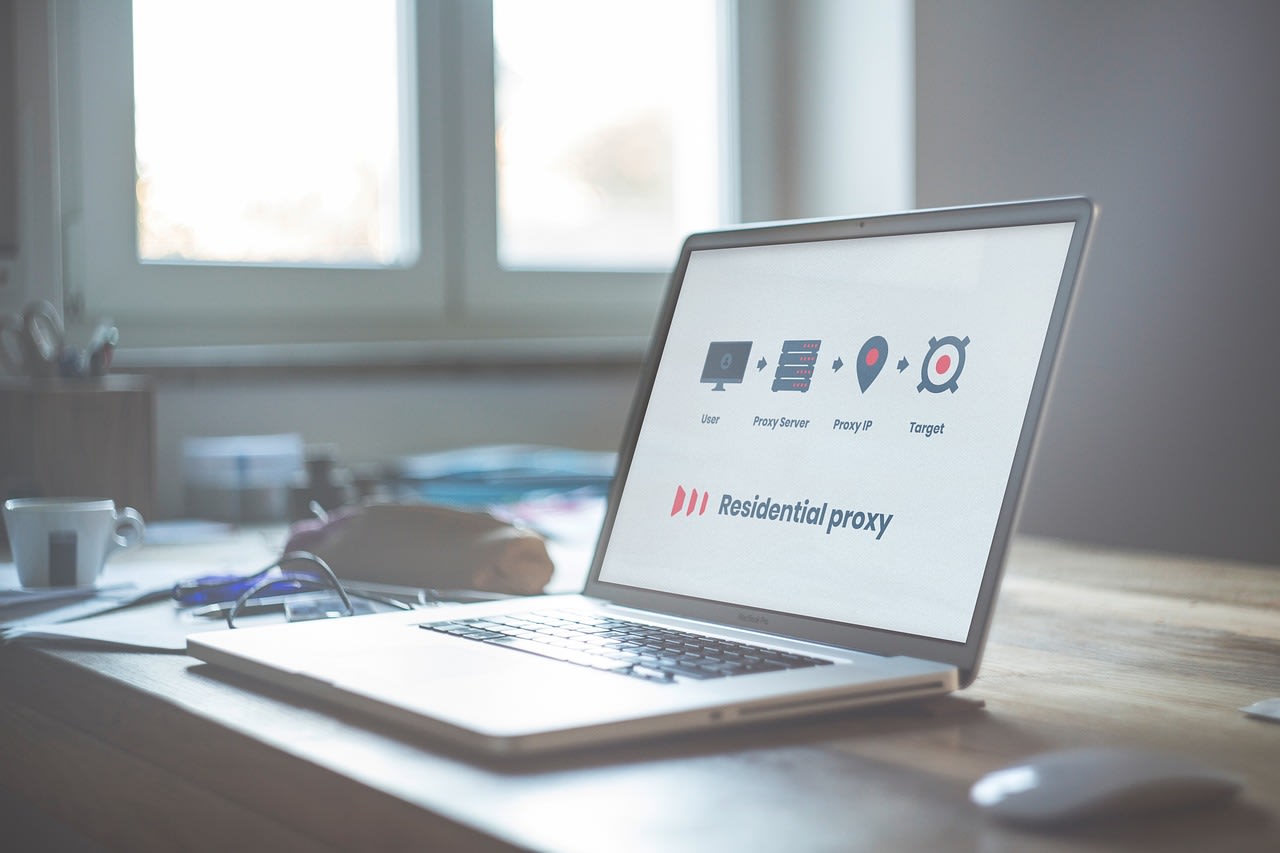
Proxies solve this by being middlemen. Instead of your request going directly from Your Computer -> Website, it goes Your Computer -> Proxy Server -> Website. The website only sees the proxy server's IP address, not yours. If that proxy gets banned, you simply switch to another one. Your real IP stays safe, and your collection can continue uninterrupted.
But not all proxies are created equal. Using the wrong type is like trying to sneak into a party wearing a neon sign.
Data Center vs. Residential: Picking the Right Disguise

This is where most beginners get tripped up. There are two main flavors, and picking the wrong one will get your scraper blocked immediately.
Data Center Proxies: These come from servers in data centers. They're fast, cheap, and plentiful. They're also incredibly obvious to modern anti-bot systems. Websites can easily detect that an IP belongs to a known cloud provider like AWS, Google Cloud, or DigitalOcean. Using these for scraping mainstream, well-defended sites is like trying to rob a bank while wearing a shirt that says "ROBBER." They have their place for less sensitive tasks, but for serious collection, they're often a dead end.
Residential Proxies: This is the gold standard for evasion. These IPs come from real, physical homes—from actual ISP subscribers. When your request routes through one, it looks identical to a regular person browsing from their living room. Websites have a much harder time distinguishing this traffic from legitimate human users. This is what you need for scraping anything with decent anti-bot tech: e-commerce sites, social media, search engines, travel aggregators.
The trade-off? Residential proxies are more expensive and can be slower. But in 2026, the gap has narrowed. The key is a rotating residential proxy network. Your requests automatically cycle through thousands of different real-home IPs, making detection nearly impossible. You're not one person ordering 50,000 packages; you're 50,000 different people each ordering one package.
Building Your 2026 Scraping Stack: Beyond Just Proxies
Proxies are your foundation, but they're not the whole house. To build a robust system, you need a stack. Here's what a modern, effective setup looks like.
You need a scraping tool or framework. For coders, Python's Beautiful Soup and Scrapy are the classics, but Playwright and Puppeteer (for browser automation) are essential in 2026 for dealing with JavaScript-heavy sites. For the non-coders, visual scraping tools have gotten incredibly powerful. A platform like Apify lets you use pre-built "actors" (scrapers) for hundreds of common sites or build your own without deep coding knowledge. It handles the proxy rotation, headless browsers, and CAPTCHA solving infrastructure, which is a massive headache to manage yourself.
Next, you need storage that matches your hoarding scale. Forget a single external drive. Look at a NAS (Network Attached Storage) system. A Synology 4-bay NAS gives you redundant storage (so a drive failure doesn't nuke your 50k files), remote access, and can even run Docker containers for your scraping scripts. Pair it with Seagate IronWolf hard drives built for 24/7 operation.
Finally, orchestration. You need a way to schedule your scrapers to run daily, weekly, or monthly. This is where your hoard becomes a living dataset. A simple cron job on a Raspberry Pi or a serverless function on AWS Lambda can kick off your collection routines automatically. The goal is to go from active hoarding to passive, systematic collection.
The Ethics of Collection: Don't Be That Guy

With great power comes great responsibility. Just because you can scrape a site doesn't mean you should. This is the line between being a data enthusiast and being a problem.
Always check `robots.txt`. This file (usually found at `yoursite.com/robots.txt`) is the website's way of telling automated agents which areas are off-limits. Respect it. Don't hammer servers with requests. Build delays ("sleep timers") into your scripts. If you're fetching a list of 1000 pages, don't request them all at once. Space them out with 2-5 second pauses. This mimics human browsing and prevents you from overwhelming the site's resources.
Be mindful of copyright and personal data. Scraping publicly available product prices for a price comparison tool is generally fair game. Scraping and republishing entire news articles or collecting personal user profiles is not. If you're ever unsure, the safest path is to look for an official API. Many sites offer them, and while they often have limits, they provide clean, legal data. Your setup should be a tool for preservation and analysis, not theft or harassment.
From Chaos to Catalog: Organizing the Haul
This is the most satisfying part. You've moved from shameful hoarding to glorious harvesting. Now, what to do with the data? Raw HTML files are just the beginning. The value is in the extraction and structure.
Your scraping script shouldn't just save pages. It should parse them. Extract the specific data points you care about—product names, prices, dates, article text, image URLs—and save them into a structured format. CSV and JSON are your friends. They turn a mountain of web pages into a clean, queryable database.
For example, instead of 10,000 product pages, you have a single spreadsheet with 10,000 rows, each containing the product name, price, SKU, and description. Now you can analyze it. Track price histories. Spot trends. Build your own comparison engine. The data becomes useful.
For media files (images, PDFs, videos), use consistent, descriptive naming and folder structures. `2026-04-15_ProductX_Image1.jpg` is better than `IMG_4532.jpg`. Tools like `wget` and `youtube-dl` (or its modern successors) are masters of this, allowing you to download entire directories with sane filenames.
Common Pitfalls & The 50k File Reality Check
Let's troubleshoot the headaches before they happen.
CAPTCHAs Everywhere: Even with good residential proxies, you might hit CAPTCHAs on tough sites. For this, you need a CAPTCHA solving service. Yes, it's an extra cost. They use a mix of AI and human solvers to get past these barriers. It's a necessary evil for some targets.
The Data is Messy: Websites change their layout. Your perfect scraper that worked yesterday might break today because a developer moved a `
It's Expensive: Quality residential proxy networks cost money. So do CAPTCHA solvers, cloud servers, and storage. That "50k of shame" represents a real investment. Before you go all-in, prototype. Scrape 100 items, not 100,000. Test your pipeline. Calculate the costs. Maybe you don't need real-time data—scraping once a week is far cheaper than scraping every hour.
You Hit a Legal Wall: Some sites are legally protected against scraping. LinkedIn, for instance, has successfully sued scrapers. If a site sends a cease-and-desist letter, stop. It's not worth the fight. Redirect your efforts to more open sources of data.
Your New Mantra: Systematic Over Sympathetic
That impulse to collect and preserve is a strength. Don't stifle it—channel it. The difference between a hoarder and an archivist is methodology. An archivist has a system.
Start small. Pick one project. Maybe it's tracking the price history of a specific collectible you love. Or building a local archive of news articles about your town. Use that project to learn the stack: a simple scraper, a rotating proxy, and organized storage.
If the technical side feels overwhelming, remember you don't have to do it alone. You can hire a developer on Fiverr to build your initial scraper for a few hundred dollars. Give them clear instructions on what to collect and how to structure it. Your role then becomes maintaining and using the system, not necessarily building every nut and bolt.
Your "humble setup" is the seed. With the right tools and strategy, you can grow it into a curated library, a research database, or the backbone of a side project. In 2026, data is the substrate of innovation. Stop apologizing for collecting it. Start mastering how to collect it well.
