


You know the scene. Your script is humming along, pulling down pages, parsing data, saving it all to your ever-growing archive. Then, out of nowhere—silence. A 403 Forbidden. A Cloudflare challenge. A connection timeout. That cold splash of reality: you've been blocked. If you've spent any time in r/DataHoarder, you've felt this pain. That meme of the triumphant scraper followed by the dreaded ban hammer isn't just a joke; it's a rite of passage. In 2026, the walls are higher, the detection is smarter, and the fight for open data feels more like a siege. But it's not hopeless. Let's talk about why this happens and, more importantly, what you can actually do about it.
Why Your Perfectly Polite Scraper Gets the Boot
First, let's kill a common misconception. Sites aren't blocking you because they're evil or hate data preservation. Well, mostly. They're defending against a real problem: server overload, content theft, and malicious bots. The issue is their defenses are blunt instruments. Your archival project looks identical to a credential-stuffing attack or a price-scraping botnet to their automated systems.
The triggers are numerous. Sending too many requests from a single IP address in a short time is the classic giveaway. But in 2026, it's far more nuanced. They look at your request headers—is your User-Agent a known browser string, or is it Python-urllib/3.10? They analyze your behavioral fingerprint: the timing between requests (too perfect, too robotic), your mouse movements (non-existent in headless browsers), and even your TLS fingerprint. Services like Cloudflare, Imperva, and DataDome build a risk score from hundreds of these signals. Exceed a threshold, and you're out.
And let's be honest—sometimes the block is intentional. Companies with valuable data sets, like social media platforms or real estate listings, have a business interest in keeping their data siloed. They employ teams to constantly update their anti-bot measures. It's an arms race, and your simple requests.get() loop is bringing a spoon to a gunfight.
The Proxy Primer: More Than Just Hiding Your IP
When the block hits, the immediate thought is: "I need a proxy." That's correct, but it's only the first step. A proxy is just an intermediary server. You send your request to it, and it forwards the request to the target site, masking your origin IP. Simple, right? The magic—and the complexity—is in the type of proxy you use.
Datacenter Proxies: These are the cheap, fast ones. They come from server farms. The problem? Their IP ranges are well-known and often blacklisted. They're fine for low-stakes, high-volume scraping of less-protected sites, but for anything with modern defenses, they'll get burned fast.
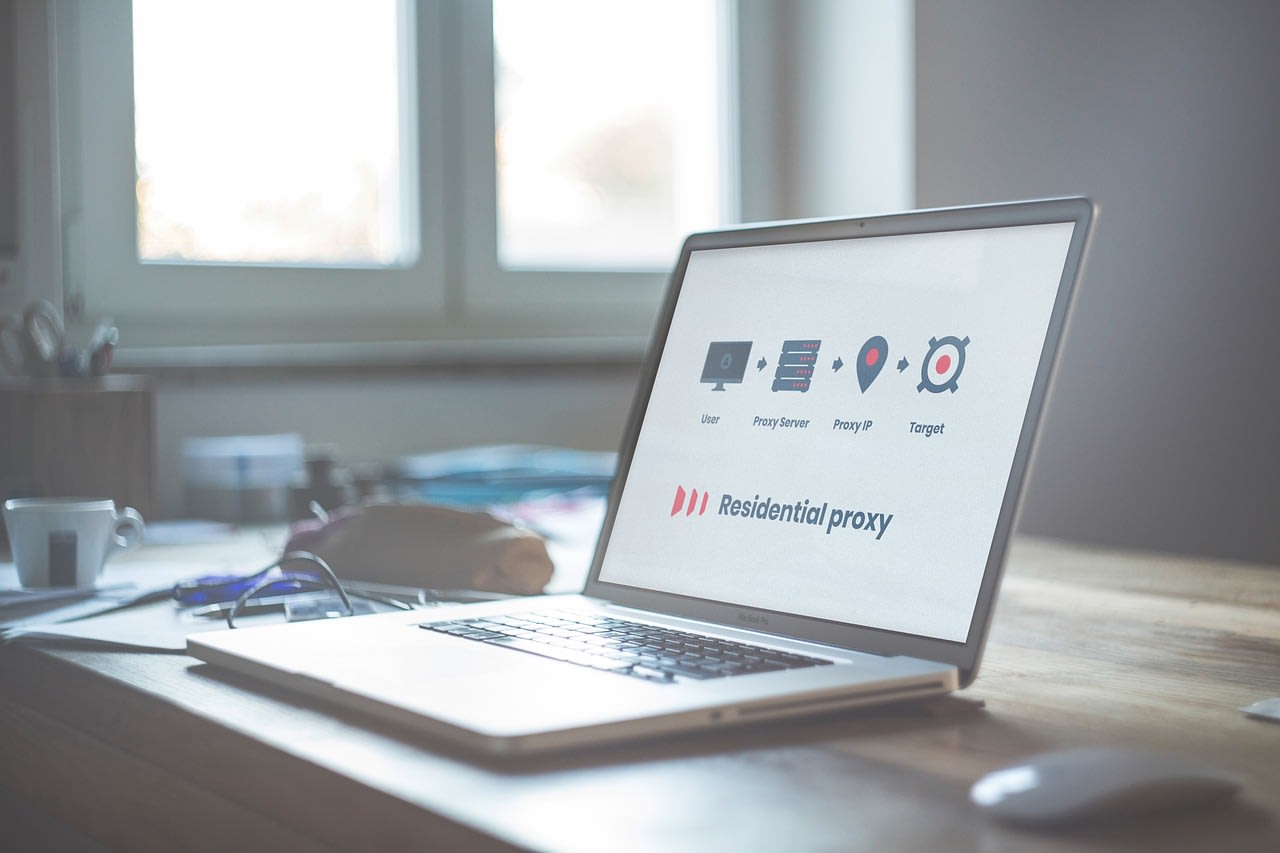
Residential Proxies: This is where the game changes. These proxies use IP addresses assigned by real Internet Service Providers (ISPs) to real homes. To the target website, your traffic looks identical to a person browsing from their living room. This is the gold standard for bypassing sophisticated blocks. Services like Bright Data, Oxylabs, and Smartproxy maintain massive pools of these IPs. The cost is higher, but the success rate is, too.
Mobile Proxies: The elite tier. These IPs come from cellular networks. They're the least likely to be flagged, as mobile IPs are constantly churning anyway. They're expensive and often have lower bandwidth, but for the toughest targets, they're sometimes the only tool that works.
Rotation, Rate Limiting, and Playing Human

Getting a residential proxy is like getting a good disguise. But if you wear that same disguise to rob 100 banks in a day, someone's going to notice. You need to rotate.
Proxy rotation means switching the IP address you use for each request, or after a set number of requests/seconds. Good proxy services offer automatic rotation via their API. The key is logic. Don't just rotate randomly. Mimic a human session: use one IP for a "browsing session" of 5-10 requests over a couple of minutes, with variable delays between clicks, then switch. Tools like Scrapy have built-in middleware for this, or you can implement it directly.
This ties directly into rate limiting. You must self-throttle. Calculate the site's tolerance. If a human can reasonably view 60 pages an hour (one per minute), don't blast it with 600. Use random delays between requests—time.sleep(random.uniform(1, 3)) is your friend. I've found that being aggressively polite, even to the point of feeling inefficient, is the most efficient long-term strategy. A slow, steady drip of data beats a firehose that gets shut off in 30 seconds.
The Headless Browser Tightrope
For modern JavaScript-heavy sites (think React, Vue.js, Angular), requests won't cut it. You need a browser that can execute JS and render the page. Enter headless browsers like Puppeteer (Chrome) or Playwright. They're incredibly powerful, but they're also massive bot flags.
A vanilla headless Chrome is easily detected. It has specific navigator properties (navigator.webdriver is true) and lacks certain plugins a normal browser has. You need to stealth it. Use libraries like puppeteer-extra-plugin-stealth. These plugins fake a realistic fingerprint, randomize viewport sizes, and emulate human-like mouse movements and typing speeds.
But here's the pro tip: don't use a headless browser unless you absolutely have to. They're resource-intensive and slow. Always try a simple HTTP request first. Often, the data you want is loaded via a separate XHR/Fetch call to an API. Use your browser's Developer Tools (Network tab) to find that API endpoint. You can usually call it directly with a proper session cookie and headers, which is infinitely faster and less detectable than automating a full browser.
When to Bring in the Big Guns: Automation Platforms

Sometimes, managing proxies, browsers, fingerprints, and retry logic becomes a full-time DevOps job. If your project is critical or scales beyond a hobby, it's worth considering a dedicated platform. Services like Apify handle the entire scraping infrastructure—proxy rotation, browser scaling, CAPTCHA solving, and storage—so you can focus on the data extraction logic itself. They have pre-built "actors" for common sites, which can save weeks of reverse-engineering. It's a cost, but it trades capital (money) for time and mental energy, which for many projects is the right trade-off.
CAPTCHAs: The Final Boss (and How to Cheat)
You can have perfect proxies, flawless human emulation, and gentle rates, and you'll still sometimes hit a CAPTCHA. It's the ultimate "prove you're human" test. Solving them manually isn't scalable.
Your first line of defense is avoidance. Everything we've discussed—good proxies, realistic behavior—reduces your chance of triggering a CAPTCHA in the first place.
When you can't avoid it, you have services. 2Captcha and Anti-Captcha are the big players. You send them the CAPTCHA image/site key, a human worker solves it (often in developing countries for cents per solve), and they send back the answer. You integrate this solution into your scraper with their API. It adds cost and latency (solves can take 10-30 seconds), but it keeps the pipeline automated.
For hCaptcha or reCAPTCHA v3, which are more behavioral, your only hope is the stealth techniques mentioned earlier to keep your "humanity score" high enough to never get challenged.
Practical Toolkit: What to Actually Do in 2026
Let's get concrete. Here's a step-by-step approach I use for a new scraping target:
- Reconnaissance: Browse the site manually. Check the Network tab. Look for API calls. Check
robots.txt. Respect it if you can. - Start Simple: Try with
requestsand a commonUser-Agent. Use a session object to handle cookies. - Add Polite Throttling: Implement delays from the start. Assume you'll be blocked.
- If Blocked, Go Residential: Sign up for a mid-tier residential proxy service. Don't buy the biggest plan; test first. Integrate their rotating proxy endpoint.
- If JS is Needed, Use Stealth Playwright: Configure Playwright with a stealth plugin and use it in non-headless mode initially to debug.
- Implement Exponential Backoff: If you get a 429/403, have your code sleep for 1 minute, then 5, then 30 before giving up.
- Persist Everything: Save every scraped page locally as raw HTML immediately. Parse later. This way, if you get banned after 90% of a run, you haven't lost the data.
For hardware, a reliable machine with good RAM is key for browser automation. I've had great luck with the M1 Mac Mini for its power efficiency, or a Intel NUC for a quiet, dedicated scraping box.
Common Pitfalls and the Ethics of Hoarding
I see the same mistakes over and over. People scrape from their home IP. They ignore Retry-After headers. They don't handle exceptions, so one error kills the whole script. They don't cache results and re-scrape unchanged data, wasting cycles and attracting attention.
Then there's the ethics. This is a gray area. My personal rule: I scrape for personal archival, research, or to create a public good (like an alternative search index). I don't scrape to repackage and sell someone else's data as my own product. I don't hammer small, personal sites. I respect robots.txt when it's reasonable. The legal landscape is murky, but being a good citizen matters—both for your conscience and because sites are less likely to aggressively harden their defenses if they're not under constant assault.
What if you just don't want to code this? You can hire a developer on Fiverr to build a robust, custom scraper for you. Be specific in your brief about the target site and the need for proxy rotation and stealth.
Keeping the Data Flowing
The meme is real because the struggle is real. In 2026, data hoarding is part archaeology, part espionage. It requires technical skill, patience, and a bit of cunning. The core idea isn't to "win" or defeat every anti-bot system—that's a losing battle. The goal is to fly under the radar, to be uninteresting enough to the algorithms that they let you pass. Use the right proxies, act like a human, take it slow, and have a plan for when things go wrong. Your archive depends on it. Now go check your scripts—gently.
