



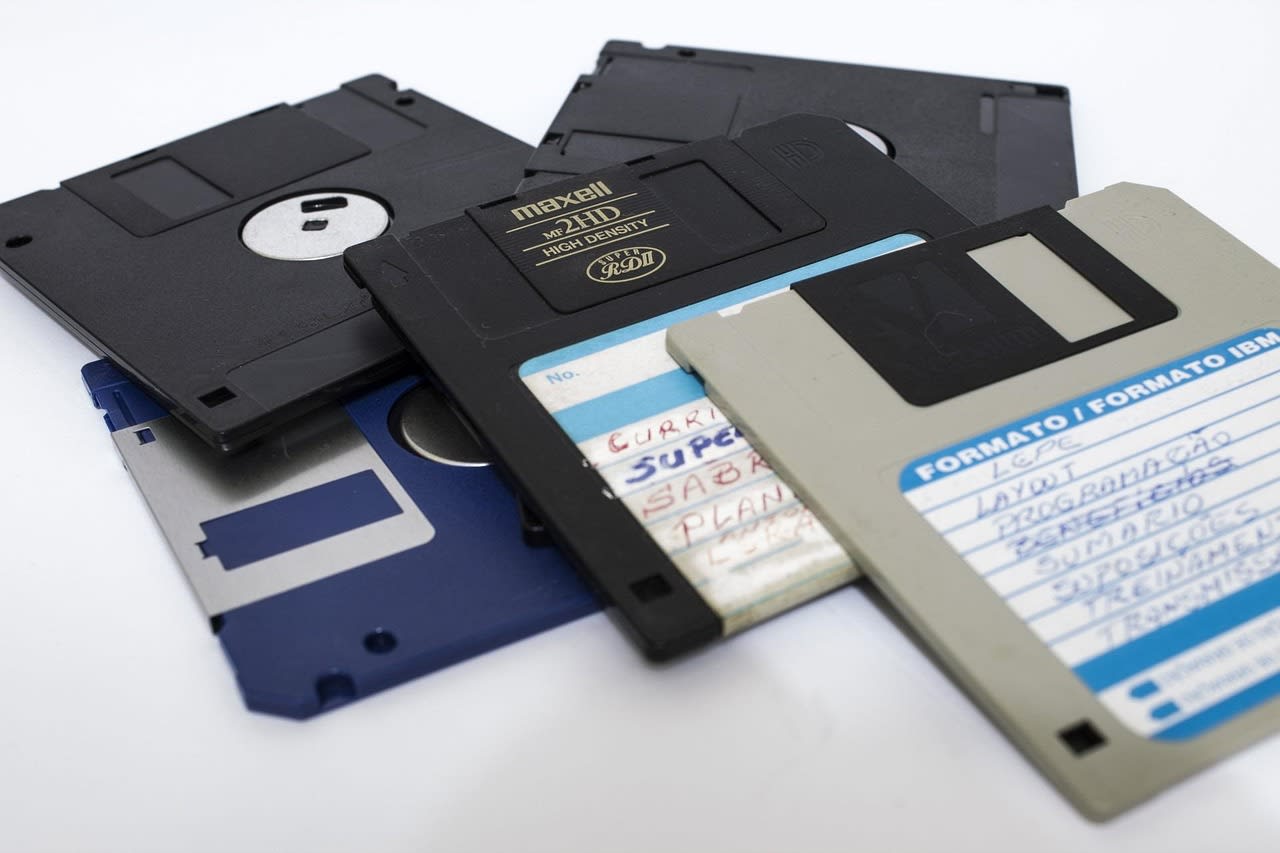
You're walking to your door in 2026 and spot something unusual on the ground—a 3.5-inch floppy disk. Not just any floppy, but one that looks like it's seen better days. Your curiosity spikes immediately. What's on it? Old family photos? Abandoned software? Something more... interesting? But then the practical side of your brain kicks in. You remember hearing stories about floppy disks carrying malware that could execute just by reading the disk. You've got a USB floppy drive somewhere, but is it worth the risk?
This exact scenario played out on Reddit's r/DataHoarder community recently, sparking a fascinating discussion about the intersection of curiosity and security. The original poster captured that perfect moment of digital archaeology temptation: "I'm terribly curious what was a floppy disk in the big 26 doing outside my (small town) home i wanna see what's inside but i know they can execute code without asking."
That tension between wanting to explore digital artifacts and protecting your systems is real. And in 2026, with legacy media becoming increasingly rare and potentially dangerous, knowing how to safely handle these discoveries is more important than ever. This guide isn't just theoretical—it's the practical, battle-tested approach that data recovery experts and security professionals actually use.
Why Floppy Disks Are Still Dangerous in 2026
You might think floppy disks are relics, harmless artifacts of a bygone computing era. But here's the uncomfortable truth: they can still wreck your modern system. The original poster was right to be concerned about code executing "without asking."
Floppy disks from the DOS and early Windows eras often contained autorun.inf files that could automatically execute programs. Worse, some viruses and malware from that period were specifically designed to spread via floppy disks. The Stoned virus, Michelangelo, and Jerusalem—these weren't just names in security textbooks. They were real threats that could still be lurking on disks that have been sitting in attics, basements, or apparently, outside small-town homes for decades.
But the risk isn't just about ancient viruses. Consider this: someone in 2026 finding a floppy might be using a modern Windows, macOS, or Linux system that has zero protection against these legacy threats. Modern antivirus software often doesn't include signatures for malware that hasn't been seen in the wild for 20+ years. Your shiny new computer could be completely vulnerable to attacks your grandparents' computer would have shrugged off.
There's also the physical risk. Old floppy disks can degrade. The magnetic media can flake off, the read/write heads in your USB floppy drive can get dirty or damaged, and in rare cases, you might even encounter intentionally damaged disks designed to harm hardware. One commenter in the original thread mentioned finding a disk with what appeared to be metallic shavings inside—possibly an attempt at physical sabotage.
The Golden Rule: Never Use Your Main System
This is the single most important piece of advice, and it came up repeatedly in the Reddit discussion. If you're going to explore unknown floppy disks, you need an isolated environment. Your daily driver computer—the one with your banking information, personal photos, and work documents—should never come into contact with these disks.
Think of it like handling hazardous materials. You wouldn't bring an unmarked chemical container into your living room and just open it. You'd take precautions. The same applies here.
In practice, this means creating what security professionals call an "air-gapped" system. This is a computer that has no network connections, no Bluetooth, no way for anything on it to escape to your other devices. Many data hoarders keep old laptops specifically for this purpose—machines that are too slow for daily use but perfect for risky data recovery operations.
One approach I've used successfully: find an old ThinkPad or similar business laptop from the early 2000s. These often have built-in floppy drives, run Windows XP or similar period-appropriate operating systems, and can be purchased for next to nothing. Wipe it clean, install a fresh OS, and you've got a perfect floppy inspection station. Just remember to remove the Wi-Fi card and disable any networking capabilities in the BIOS.
Virtual Machines: The Modern Solution
Not everyone has space for a dedicated physical machine. That's where virtual machines (VMs) come in. Tools like VirtualBox, VMware, or Hyper-V let you create completely isolated software computers that run inside your main system.
Here's how I set up a floppy inspection VM: First, I create a new virtual machine with minimal resources—512MB RAM, 10GB hard drive space. Then I install something like FreeDOS or an old version of Windows that I have legitimate installation media for. The key is that this VM has no network adapters enabled. It can't talk to the internet or my local network.
Now, here's the clever part: most virtualization software lets you pass USB devices directly to the VM. So I can connect my USB floppy drive, tell VirtualBox to give the VM exclusive access to it, and then inspect the disk safely. If there's malware on the floppy, it's contained within the virtual machine. When I'm done, I can simply delete the entire VM, and any infection disappears with it.
There's one important caveat, though. Some particularly sophisticated malware from the late 90s and early 2000s could detect when it was running in a virtual machine and behave differently. There were even proof-of-concept viruses that could attempt to escape VMs. The risk is extremely low with floppy-based malware, but it's worth mentioning for completeness.
Disk Imaging: The Forensic Approach
What if you don't want to run anything from the floppy at all? What if you just want to see what's on it without any execution risk? That's where disk imaging comes in.
Disk imaging creates a perfect byte-for-byte copy of the entire floppy disk. You're not reading files in the traditional sense—you're making a complete duplicate of every sector, including empty space, deleted files (which often aren't really deleted on floppies), and any hidden data.
On Linux, the dd command is your friend. Connect your USB floppy drive to an isolated Linux machine (or a Linux VM with no network), and run something like: dd if=/dev/sdb of=floppy_image.img bs=512 (adjusting /dev/sdb to match your actual drive). This creates an image file that you can then examine safely.
On Windows, you can use tools like WinImage or even the free HxD hex editor to create disk images. The advantage of this approach is that you're only interacting with the physical media once, during the imaging process. After that, you can work with the image file, which contains no executable code—it's just data.
Once you have an image, you can mount it as a virtual drive using various tools, examine its contents with a hex editor, or use file recovery software to extract files without ever risking execution. This is essentially how digital forensics experts handle unknown media—they never work with the original if they can help it.
Hardware Isolation and Write Protection
Let's talk about your USB floppy drive for a moment. Many of these drives, especially the cheaper ones, don't have physical write-protect switches. That's a problem because if malware on the floppy tries to spread itself, it might attempt to write to other areas of the disk or even try to infect the drive's firmware.
Some experienced data hoarders in the original thread mentioned modifying their USB floppy drives to add physical write protection. This usually involves opening the drive case and adding a physical switch that controls the write-enable signal to the drive mechanism. If you're comfortable with basic electronics, this isn't terribly difficult.
An easier approach: use a USB hub with individual port power switches. Connect your floppy drive through this hub, and you can cut power to it instantly if anything suspicious happens. I keep one of these hubs specifically for questionable USB devices. USB Hub with Individual Switches
There's also the nuclear option: dedicate a floppy drive to this risky work. Pick up a cheap USB floppy drive specifically for unknown disks. If it gets infected or damaged, you're only out $15-20. USB Floppy Disk Drive
What You Might Actually Find (And How to Handle It)
So you've taken all the precautions, created an isolated environment, and you're ready to look at the disk. What might you actually find?
Based on my experience and reports from other data hoarders, here are the most common contents of mystery floppies:
- Old personal documents: WordPerfect files, Lotus 1-2-3 spreadsheets, maybe some early Word documents. These are usually safe to open with modern viewers.
- Abandoned software: Shareware games, utilities, maybe even early versions of now-famous programs. Be careful with executables.
- Data backups: Sometimes people used floppies for important file backups. You might find family photos in obscure formats.
- Nothing: Many floppies are completely blank or have corrupted data.
- Malware: Yes, it happens. Usually it's old, mostly harmless stuff, but occasionally you find something more serious.
When examining files, start with the safest approaches first. Look at directory listings without opening files. Use file identification tools (the file command on Linux is excellent) to determine file types. For documents, consider using online file converters that run in your browser—you upload the file, they convert it to a modern format, and you download the result. The conversion process typically neutralizes any embedded malware.
For software, you might consider using emulators rather than running things natively. DOSBox, for example, can run old DOS software in a contained environment. It's not perfectly secure, but it's better than running things directly on your inspection system.
When to Call in Professionals
There are situations where DIY approaches aren't appropriate. If you suspect the floppy might contain:
- Legally sensitive material
- Possible evidence (in criminal or historical contexts)
- Extremely valuable data (like cryptocurrency wallets from the early days)
- Material that appears intentionally obfuscated or encrypted
...it might be worth consulting with a professional data recovery service. These services have clean rooms, specialized equipment, and legal expertise that most hobbyists lack.
Similarly, if you're dealing with large quantities of floppies (say, from an estate sale or business closure), the manual approach becomes impractical. This is where automation and professional help really shine. You can find data recovery specialists on Fiverr who can handle bulk processing, or you might consider more sophisticated automated solutions.
For truly large-scale legacy media recovery projects, some organizations use automated floppy imaging stations with robotic arms that can process hundreds of disks unattended. While that's overkill for finding a single disk outside your home, it's fascinating to know such technology exists in 2026.
The Ethics of Found Media
This is the part that doesn't get discussed enough. When you find digital media that clearly belonged to someone else, what are your ethical responsibilities?
The Reddit discussion touched on this briefly. Some argued that if it's discarded media, it's fair game. Others suggested trying to return personal materials if possible. My personal approach: if I find clearly personal data (photos, letters, etc.), I make a reasonable attempt to identify the owner and return it. If that's not possible after a brief attempt, I'll preserve the data for historical value but not share it publicly.
There's also the question of illegal content. While extremely rare on floppies due to their limited capacity, it's not impossible. If you encounter something that appears to be illegal material, you should stop immediately, document your steps (without further viewing), and contact appropriate authorities. Having a standard operating procedure for this unlikely scenario is better than figuring it out in the moment.
Preserving What You Find
Let's say you've safely examined the floppy and found something interesting—maybe old family photos, historical documents, or interesting software. Now what?
Preservation is key. Floppy disks are deteriorating media. The magnetic particles are losing their charge, the plastic is breaking down, and the metal shutter mechanisms are failing. Any data you recover should be migrated to modern storage immediately.
I recommend a three-tier preservation strategy:
- Primary copy: Store on your main computer or NAS, organized and properly named.
- Backup copy: Keep in cloud storage or on an external drive at a different location.
- Archival copy: Maintain the original disk images in a dedicated archive, along with documentation of your recovery process.
For particularly interesting finds, consider contributing to digital preservation projects. The Internet Archive, for example, accepts contributions of historical software and media. Just make sure you have the rights to share whatever you're contributing.
Common Mistakes to Avoid
After years of doing this and reading countless forum posts, I've seen the same mistakes repeated. Here's what to avoid:
1. Using your main computer. I know I mentioned this already, but it's worth repeating. Just don't.
2. Assuming modern antivirus will protect you. It probably won't. Signature databases don't include most floppy-era malware.
3. Running executables "just to see what happens." This is how you get infected. Use emulators or sandboxes instead.
4. Not having a kill switch. Whether it's a power strip you can kick or a VM you can instantly delete, have an emergency stop procedure.
5. Forgetting about BIOS viruses. Some particularly nasty malware from the floppy era could infect system BIOS. While rare, it's another reason for hardware isolation.
6. Neglecting physical hazards. Mold, magnetic contamination, even insects can sometimes be found in old floppy drives. Wear gloves if the disk looks questionable.
Your Action Plan for That Mystery Floppy
Let's bring this all together into a practical step-by-step plan for when you find that mysterious disk:
- Don't panic, but don't be reckless. Your curiosity is valid, but channel it safely.
- Set up an isolated environment. Either a dedicated old machine or a network-disabled VM.
- Image the disk first. Before doing anything else, make a complete sector-by-sector copy.
- Examine the image safely. Use file identification tools, hex editors, and safe viewers.
- Document everything. Take notes on what you find and what steps you took.
- Preserve anything valuable. Migrate important data to modern storage.
- Clean up. Properly dispose of or sanitize your inspection environment.
If this sounds like too much work for a single floppy, you're not wrong. But here's the thing: once you've set up your inspection environment, it's ready for future discoveries. Many data hoarders find that the first disk is just the beginning.
The Bigger Picture: Why This Still Matters in 2026
You might wonder why we're still talking about floppy disks in 2026. They're obsolete technology, right? Well, yes and no.
The principles here apply to any found media—USB drives, SD cards, external hard drives, even CDs and DVDs. The specific threats change, but the fundamental security concepts don't. Isolated environments, imaging before analysis, and careful handling are universal best practices.
There's also the historical preservation aspect. As the people who lived through the floppy era age, their digital legacies are at risk. Those disks in attics and basements contain pieces of computing history, family histories, and cultural artifacts. Recovering them safely preserves that history for future generations.
Finally, there's just the pure joy of discovery. That moment when you successfully recover data from a 30-year-old disk and see what someone thought was important enough to save—it's digital archaeology. It's connecting with the past through technology. And doing it safely means you can enjoy that experience without risking your present.
So the next time you find a mysterious floppy disk—whether it's outside your small-town home or in a box at a thrift store—you don't have to choose between curiosity and security. With the right approach, you can satisfy both. Just remember: isolate first, image always, and when in doubt, treat it like the digital hazardous material it might be. Your future self will thank you.
