


The Basement Rat's Nest: A Common Home Networking Nightmare
You know the scene. You've run ethernet cables through walls, ceilings, and floors—proud of your hard work getting wired connections to every room. But where do all those cables end up? For most of us, it's the basement. And there they hang, a tangled mess of Cat6 spaghetti dangling from the ceiling joists. Your modem and switches sit precariously on a dusty shelf, blinking lights obscured by the cable chaos. It works, technically. But every time you need to trace a connection or add a new device, you're facing a frustrating puzzle.
This was exactly the situation described in that popular Reddit post that caught fire in home networking circles. The poster had all the right infrastructure—multiple runs terminating in the basement—but zero organization. Switches plopped on shelving, cables hanging freely, what they aptly called "a rat's nest." Then came the simple, brilliant solution: a piece of spare plywood from the garage. Zero dollars spent. Maximum transformation achieved.
What makes this story resonate so deeply? It's the universal truth of home tech projects. We invest in the gear—the high-speed switches, the quality cables, the mesh systems—but we often neglect the physical organization. And that organization matters more than you might think. A clean setup isn't just about aesthetics (though that's a nice bonus). It's about maintenance, troubleshooting, cooling, and future expansion. That plywood sheet became more than wood; it became the foundation of a reliable home network.
Why Physical Organization Matters More Than Ever in 2026
In 2026, our homes are more connected than ever. We're not just talking about a few laptops and phones anymore. Smart security systems with multiple cameras, whole-home audio, smart lighting controllers, home automation hubs, gaming consoles, work-from-home setups with dedicated equipment—they all need connections. And many of us are running 10-gigabit capable wiring to future-proof our homes. That means more cables, more switches, more power requirements.
A disorganized network closet creates real problems. Heat buildup becomes an issue when equipment is stacked haphazardly without proper airflow. Good luck troubleshooting an intermittent connection when you can't even identify which cable goes where. Want to add a new security camera? You'll be tracing cables for an hour. And let's not forget safety—loose cables are tripping hazards, and tangled power cords can overheat.
The plywood solution addresses these issues elegantly. By mounting everything to a vertical surface, you create natural airflow between devices. Cables can be routed neatly along the board's edge. Everything becomes visible and accessible. It's a low-tech solution to a high-tech problem, and that's why it's so brilliant. You don't need a $500 commercial network rack to have an organized setup. You just need a plan and some basic materials.
The Plywood Advantage: More Than Just a Cheap Solution
Why plywood specifically? The original poster didn't use MDF, didn't use a metal sheet, didn't buy a pre-made rack. They used plywood from their garage. And there are some smart reasons for this choice that might not be immediately obvious.
First, plywood is structurally stable but still workable. You can screw into the edge without it splitting like solid wood might. It holds screws securely for mounting heavy switches and power strips. It's also relatively lightweight compared to MDF or particle board, which matters when you're mounting it to ceiling joists or wall studs. And if you're working in a basement, moisture resistance matters—exterior-grade plywood handles humidity better than many alternatives.
But the real advantage is customization. A pre-made rack has fixed mounting holes. A plywood sheet is a blank canvas. Got an oddly shaped modem from your ISP? No problem—mount it wherever it fits. Need to add a small Raspberry Pi server later? Just screw on a mounting bracket. Want to include a shelf for your cable modem and router? Easy to add. The flexibility is endless.
I've seen people get fancy with their plywood setups too. Some paint it to match their basement walls. Others add cable management channels made from simple PVC pipe cut in half. One person I helped even added LED strip lighting to make the ports easier to see. The plywood becomes the foundation for whatever system works for your specific gear collection.
Essential Tools and Materials You'll Actually Need
Okay, you're inspired. You've found your piece of plywood (½ inch thick is ideal—thick enough to hold weight but not too heavy). What else do you need to recreate this transformation? Let's break it down into essentials and nice-to-haves.
The Absolute Essentials:
- A drill with assorted bits
- Wood screws of various lengths (1 to 2.5 inches)
- Cable ties or Velcro straps—lots of them
- A screwdriver set
- A measuring tape and pencil
- Wire cutters/strippers if you need to terminate cables
The Game Changers (Worth the Small Investment):
- A label maker or at least some masking tape and a sharpie
- Adhesive-backed cable clips or mounts
- A patch panel if you have more than 8 runs (makes life so much easier)
- A quality surge protector with enough outlets
- Short patch cables in various lengths (0.5m, 1m)
Now, about that patch panel—this is where many people in the Reddit discussion had questions. Should you use one? If you have multiple rooms wired, absolutely. A patch panel like this TRENDnet 24-Port Patch Panel lets you permanently terminate your in-wall cables to a clean, organized interface. Then you use short patch cables to connect to your switch. This means you're not constantly unplugging and replugging the cables that run through your walls (which can wear out the connectors).
For power, don't just daisy-chain power strips. Get a quality surge protector with enough outlets for all your gear, plus a few extras. Mount it to the plywood just like your networking equipment. I prefer ones with widely spaced outlets to accommodate bulky power bricks.
Step-by-Step: Transforming Chaos Into Order
Let's walk through the actual process, expanding on what the original poster described. This isn't just about screwing things to wood—it's about creating a system that will serve you for years.
Step 1: The Planning Layout
Don't start drilling immediately. Lay your plywood on a flat surface and arrange all your equipment on it first. Think about workflow: Your modem connects to your router, which connects to your main switch. Place them logically. Leave space between devices for airflow—at least an inch or two. Consider weight distribution too—heavier items should be lower on the board if possible.
Mark where each device will go with a pencil. This is also the time to plan your cable routes. Where will cables enter the board from the ceiling? Where will they run to reach each device? A little planning here prevents a lot of frustration later.
Step 2: Mounting the Foundation
How you mount the plywood itself matters. The original poster likely attached it to basement ceiling joists, which works great if all your cables are coming from above. You could also mount it to wall studs. Use sturdy screws—at least 3 inches long—and make sure you're hitting the center of the joist or stud. A stud finder is your friend here.
Pro tip: Leave a small gap between the plywood and the wall or ceiling. This gives you space to run cables behind the board for an even cleaner look. You can use spacers (small blocks of wood) between the plywood and the mounting surface.
Step 3: Equipment Installation
Start with your power infrastructure first. Mount your surge protector where it's easily accessible but out of the way of cable runs. Then work from the "input" to the "output"—modem first, then router, then switches. Use the appropriate screws for each device; many networking devices have keyhole slots for wall mounting.
If you're using a patch panel, mount it at the top where your cables enter from the ceiling. This keeps the permanent connections organized and makes the in-wall cables easy to identify.
Step 4: The Cable Management Magic
This is where the transformation happens. Start by dressing your cables—that means straightening them out and grouping them logically. Use Velcro straps (not zip ties—they're too permanent) to create neat bundles. Run cables along the edges of the plywood, using adhesive clips to hold them in place.
Label everything. Seriously. Every cable at both ends. Use a simple system like "Office Desk," "Living Room TV," "Kitchen AP." In 2026, you might even use QR code labels that link to a digital map of your network. When you need to troubleshoot, you'll thank yourself.
Common Questions From the Reddit Discussion Answered
The original post sparked dozens of questions. Let me address the most common ones that came up repeatedly.
"Won't plywood be a fire hazard?"
This was a legitimate concern raised by several commenters. Properly installed networking equipment doesn't get hot enough to ignite wood under normal circumstances. However, you should still practice good safety: Don't cover vents on your equipment, maintain airflow between devices, and use a quality surge protector to prevent electrical issues. If you're really concerned, you can treat the plywood with a fire-retardant spray available at any hardware store.
"What about cooling?"
Vertical mounting actually improves cooling compared to stacking equipment on a shelf. Heat rises, so when devices are stacked, the bottom one heats the one above it. On a vertical board with spacing between devices, each gets its own airflow. For particularly hot-running equipment, you can add small USB-powered fans mounted to the plywood to create active airflow.
"How do I deal with different cable lengths?"
This is where custom-length cables shine. Instead of using whatever random-length cables you have, measure the distance between ports and get cables that fit exactly. Excess cable can be coiled neatly and secured with Velcro. Many people in the discussion recommended buying a Ethernet Cable Making Kit to create perfect-length cables. It's a skill worth learning.
"What if I need to add more equipment later?"
That's the beauty of plywood—just screw on another bracket or shelf. Leave some empty space on your original layout for expansion. If you completely run out of space, you can always add a second board adjacent to the first. The system grows with your needs.
Taking It to the Next Level: Pro Tips From Network Enthusiasts
Once you've got the basics down, here are some enhancements that community members have shared that really elevate your setup.
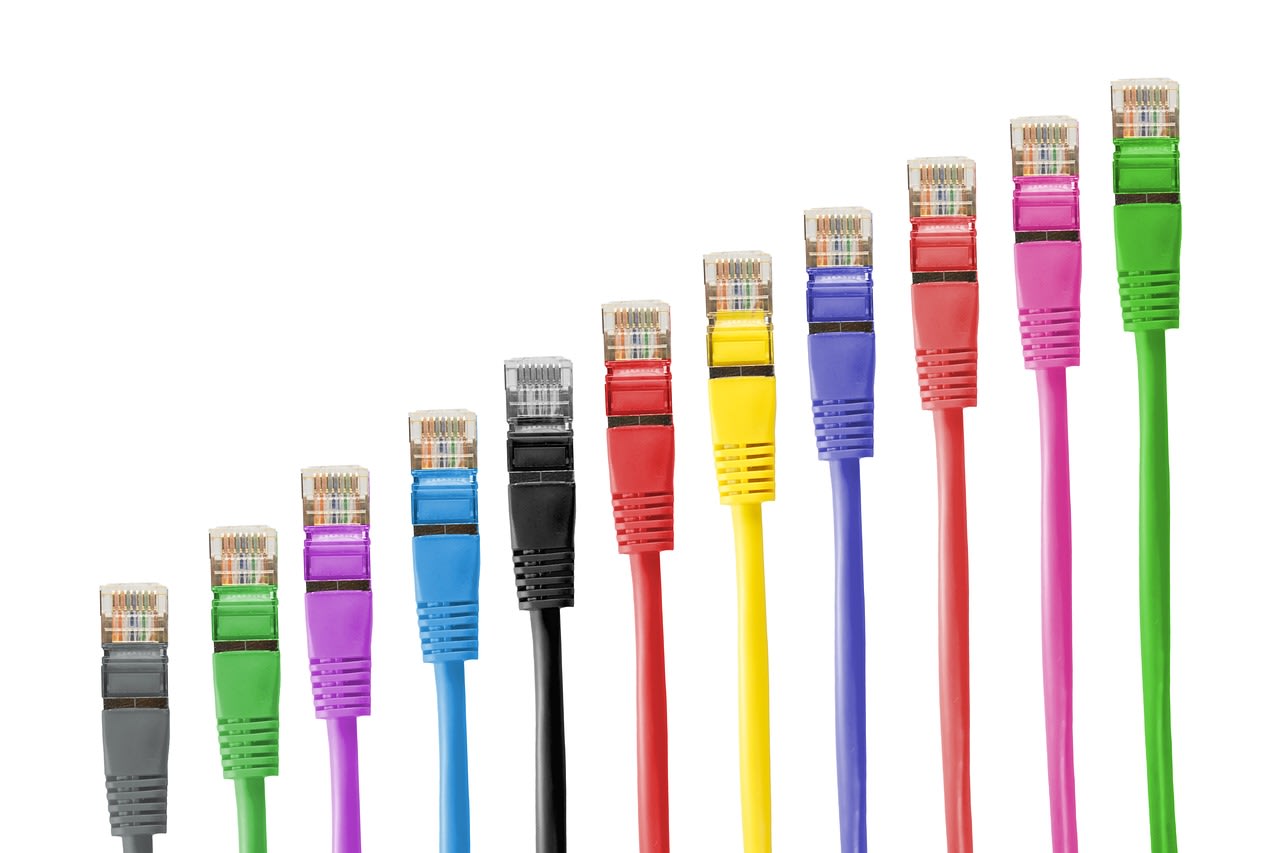
Color Coding: Use different colored patch cables for different purposes. Maybe blue for regular devices, red for critical equipment, yellow for connections between switches. It makes visual troubleshooting instant.
Documentation: Create a simple diagram of your setup and keep it with your network information. There are free tools online, or you can just sketch it. Include IP addresses, device models, and warranty information. In 2026, I'm seeing more people use digital tools for this—some even create simple web interfaces for their home network status.
Remote Management: Consider adding a smart power strip that lets you reboot individual outlets remotely. If a device locks up while you're away, you can power cycle it from your phone. This has saved me multiple trips to the basement.
Aesthetics Matter: If your network setup is in a visible area (some basements are finished spaces), consider painting the plywood or covering it with a fabric that matches your decor. One creative person I know used pegboard instead of plywood, which gives incredible flexibility for mounting and looks surprisingly good.
When to Consider Professional Help
While the plywood solution is perfect for most home setups, there are times when calling in a pro makes sense. If you're dealing with complex wiring, need to run new cables through finished walls, or want to integrate sophisticated rack-mounted equipment, a professional installer can save you time and frustration.
Platforms like Fiverr have network installation specialists who can help with specific aspects of your project. Maybe you're comfortable with the plywood mounting but need help terminating dozens of ethernet cables properly. Hiring someone for just that task can be worth it.
Similarly, if you want to monitor your network's performance or set up advanced configurations but lack the technical knowledge, consider using automation tools. Services like Apify can help you build monitoring scripts that track your network's uptime and performance, giving you professional-level insights without the enterprise price tag.
The Real Payoff: More Than Just Looks
When the original poster said they were "pretty happy with the results for basically $0," they were underselling the benefits. Yes, it looks clean. But the real value comes every time you need to work on your network.
Adding a new device takes minutes instead of an hour of cable tracing. Troubleshooting becomes systematic rather than guesswork. Your equipment runs cooler and likely lasts longer. Future upgrades are planned rather than dreaded. And there's a psychological benefit too—a clean, organized workspace (even if it's just a network board in your basement) makes the whole system feel more reliable and professional.
The best part? You don't need to be a networking expert to implement this. You just need some basic tools, a piece of plywood, and a weekend afternoon. Start with what you have, improve it as you learn, and remember that even the most sophisticated home networks often have humble beginnings—sometimes literally rooted in a spare sheet of plywood from the garage.
So look at that rat's nest in your basement not as a problem, but as an opportunity. Grab that plywood, fire up your drill, and transform chaos into order. Your future self—the one who needs to quickly identify why the living room TV lost connection—will thank you.
