
AI Markdown Maker
by onescales
Convert any web page into clean, AI ready markdown format in seconds. Perfect for feeding content to AI models, creating documentation, or archiving w...
Opens on Apify.com
About AI Markdown Maker
Convert any web page into clean, AI ready markdown format in seconds. Perfect for feeding content to AI models, creating documentation, or archiving web content in a portable format. In addition it intelligently parse web content, removing ads, navigation, and other clutter. Generate Markdown Today!
What does this actor do?
AI Markdown Maker is a web scraping and automation tool available on the Apify platform. It's designed to help you extract data and automate tasks efficiently in the cloud.
Key Features
- Cloud-based execution - no local setup required
- Scalable infrastructure for large-scale operations
- API access for integration with your applications
- Built-in proxy rotation and anti-blocking measures
- Scheduled runs and webhooks for automation
How to Use
- Click "Try This Actor" to open it on Apify
- Create a free Apify account if you don't have one
- Configure the input parameters as needed
- Run the actor and download your results
Documentation
AI Markdown Maker Convert any web page into clean, AI-ready markdown format in seconds. Perfect for feeding content to AI models, creating documentation, or archiving web content in a portable format. ## Introduction AI Markdown Maker automatically transforms web pages into clean, well-formatted markdown that's optimized for AI processing and human readability. Whether you're building an AI training dataset, creating documentation, or archiving web content, this tool extracts the main content from any URL and converts it to structured markdown—eliminating ads, navigation menus, and other clutter. The tool uses intelligent content extraction to identify what matters on each page, then outputs GitHub-flavored markdown that works seamlessly with AI models, documentation platforms, and markdown editors. ## Plan Limits - Free Plan: Limited to 100 pages per run - Paid Plans: Unlimited page processing Upgrade to a paid plan to process unlimited pages. 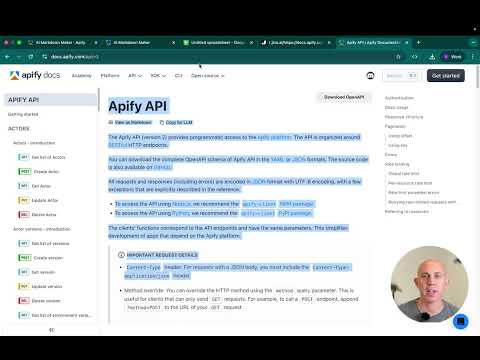 ## Key Features ### 🎯 Smart Content Extraction Automatically identifies and extracts the main content from web pages while filtering out: - Advertisements and promotional content - Navigation menus and sidebars - Headers and footers - Comments sections - Other non-essential elements ### 📝 GitHub-Flavored Markdown Output Produces clean, standardized markdown with: - Proper table syntax with pipes (
|) - Consistent bullet points using asterisks (*) - Horizontal rules under major headings - Code blocks with triple backticks - Strikethrough and other formatting preserved ### ⚡ Batch Processing Process multiple URLs at once: - Add URLs one by one, bulk edit, or upload from a text file - Set a maximum number of pages to process - Optional delays between requests to avoid overwhelming servers ### 🔒 Reliable Scraping Built-in features for consistent results: - Automatic proxy rotation via Apify's proxy system - Retry logic for failed requests - Handles JavaScript-heavy websites with headless browser technology ### 🌐 Works on Any Website Successfully processes: - Documentation sites - Blog articles - News websites - Product pages - Wiki pages - And more! ## Input ### Using the UI (Web Interface) When you run the actor from the Apify platform, you'll see a simple form with these fields: #### Start URLs (Required) Add the web pages you want to convert to markdown. You can: - Click "Add" to enter URLs one at a time - Use "Bulk edit" to paste multiple URLs at once - Select "From text file" to upload a file containing URLs Example: https://docs.apify.com/api/v2 https://example.com/article https://blog.example.com/post #### Maximum Number of Pages to Process (Optional) Limit how many pages to convert. Useful when you have a long list of URLs but only want to process a specific number. Default: Processes all URLs in your list #### Proxy Configuration Uses Apify's proxy system to ensure reliable access to websites. The default settings work great for most use cases. Default: Apify proxy enabled #### Advanced Settings Delay Between Requests (Optional) Add a pause between processing each URL, measured in seconds. This is helpful to: - Avoid overwhelming the target server - Prevent rate limiting or IP blocking - Be more respectful to the websites you're scraping Default: 0 seconds (no delay) ### Using the API You can also run the actor programmatically using the Apify API. Here's an example: json { "startUrls": [ { "url": "https://docs.apify.com/api/v2" }, { "url": "https://example.com/article" } ], "maxItems": 10, "proxyConfiguration": { "useApifyProxy": true }, "delayBetweenRequests": 2 } ## Output ### What You Get For each URL processed, you'll receive: URL - The source web page address Markdown - The converted content in clean markdown format, including: - Page title - Source URL - Full markdown content with proper formatting Example output: Title: Apify API Documentation URL Source: https://docs.apify.com/api/v2 Markdown Content: # Apify API --- The Apify API provides programmatic access to the Apify platform... | Endpoint | Method | Description | | --- | --- | --- | | /v2/acts | GET | List all actors | | /v2/acts/{actorId}/runs | POST | Run an actor | ### Viewing Results in the UI After the actor finishes running, you'll see a table with all processed URLs and their markdown content. You can: - View the markdown directly in the browser - Copy individual results - Sort and filter the results ### Exporting Data The Apify platform provides multiple export options: #### JSON Perfect for programmatic use or integration with other tools json [ { "URL": "https://example.com", "Markdown": "Title: Example\n\n..." } ] #### CSV Great for opening in Excel or Google Sheets - Each row contains one URL and its markdown content - Easy to analyze, sort, and filter #### Integration with Other Tools Connect the actor's output to: - Webhooks - Send results to your own API - Google Sheets - Automatically populate a spreadsheet - Make.com / Zapier - Trigger workflows based on results - Other Apify Actors - Chain multiple actors together ### Using the API to Get Results Access your results programmatically: bash # Get the dataset curl https://api.apify.com/v2/datasets/{DATASET_ID}/items Results are stored in Apify's dataset storage and remain available for download even after the actor finishes running. ## Use Cases - AI Training Data: Convert documentation and articles into markdown for feeding to language models - Content Archiving: Save web content in a portable, future-proof format - Documentation Migration: Extract content from old sites to import into new documentation platforms - Research: Collect and organize content from multiple sources - Data Analysis: Convert web content to structured format for text analysis ## Support We're here to support you! Whether you need help with setup, have questions about interpreting results, or want to request additional features for the AI Markdown Maker, we've got you covered. Just fill out the form at https://docs.google.com/forms/d/e/1FAIpQLSfsKyzZ3nRED7mML47I4LAfNh_mBwkuFMp1FgYYJ4AkDRgaRw/viewform?usp=dialog, and we'll try our best to help as quickly as possible. --- Built with ❤️ by One Scales
Common Use Cases
Market Research
Gather competitive intelligence and market data
Lead Generation
Extract contact information for sales outreach
Price Monitoring
Track competitor pricing and product changes
Content Aggregation
Collect and organize content from multiple sources
Ready to Get Started?
Try AI Markdown Maker now on Apify. Free tier available with no credit card required.
Start Free TrialActor Information
- Developer
- onescales
- Pricing
- Paid
- Total Runs
- 235
- Active Users
- 33
Related Actors

Google Search Results Scraper
by apify

Website Content Crawler
by apify

🔥 Leads Generator - $3/1k 50k leads like Apollo
by microworlds

Video Transcript Scraper: Youtube, X, Facebook, Tiktok, etc.
by invideoiq
Apify provides a cloud platform for web scraping, data extraction, and automation. Build and run web scrapers in the cloud.
Learn more about ApifyNeed Professional Help?
Couldn't solve your problem? Hire a verified specialist on Fiverr to get it done quickly and professionally.
Trusted by millions | Money-back guarantee | 24/7 Support