
Pinterest Explorer 📌
by jupri
Need to pull fresh pins, boards, or user data from Pinterest without hitting rate limits or getting blocked? I've been there. This Pinterest Explorer ...
Opens on Apify.com
About Pinterest Explorer 📌
Need to pull fresh pins, boards, or user data from Pinterest without hitting rate limits or getting blocked? I've been there. This Pinterest Explorer actor is what I use to reliably gather public data for market research, trend analysis, and content curation. It handles the tricky parts for you. You can scrape pins from any search query, specific board, or user profile. It extracts all the useful stuff: image and video URLs, descriptions, engagement stats (like saves and comments), the link behind the pin, and creator info. Need to download the media files? It can fetch those, too. I set it to run on a schedule to track how pin performance or trending topics change over time. The setup is straightforward. You just feed it a Pinterest URL or search term, configure your output format (JSON, CSV, etc.), and let it run. It manages the browsing automatically, which saves a ton of manual effort. I typically use the data to feed into analytics dashboards or for discovering what content is resonating in my niche. If you need structured, actionable data from Pinterest, this is the scraper that gets the job done.
What does this actor do?
Pinterest Explorer 📌 is a web scraping and automation tool available on the Apify platform. It's designed to help you extract data and automate tasks efficiently in the cloud.
Key Features
- Cloud-based execution - no local setup required
- Scalable infrastructure for large-scale operations
- API access for integration with your applications
- Built-in proxy rotation and anti-blocking measures
- Scheduled runs and webhooks for automation
How to Use
- Click "Try This Actor" to open it on Apify
- Create a free Apify account if you don't have one
- Configure the input parameters as needed
- Run the actor and download your results
Documentation
# 💫 Welcome To Pinterest Explorer
 ## About Pinterest.com
  Pinterest is an American image sharing and social media service designed to enable saving and discovery of information (specifically "ideas")[6] on the internet using images, and on a smaller scale, animated GIFs and videos,[7] in the form of pinboards.[8] The site was created by Ben Silbermann, Paul Sciarra, and Evan Sharp, and had 450 million global monthly active users as of December 2022.[5] It is operated by Pinterest, Inc., based in San Francisco. ## 📌 About This Actor Use this Actor to scrape data from Pinterest.com, including profile, pins, boards, sections, search for pins visual similarity, etc. ### 🍿 Features : - ⭐ Scrape Profile, Pins, Boards, Section - ⭐ Scrape using URL - ⭐ Search for visual similarity (using URL) - ⭐ Sort images by similarity (coming soon) - ⭐ Generate Slide-Show - ⭐ Minimal input - ⭐ Fast like The Flash ## 📌 Input Parameters | Parameter | Type | Description | |-|-|-| |
 query| string array | See below for possible query values | | limit | integer | Number of results (per query) | | gallery | boolean | Generate HTML gallery/viewer | ## 📌 HTTP Cookies Some function may require a cookie value from your HTTP session. For example: products search, etc (see below). You may want to include additional HTTP cookie, for example your Login Cookie named _pinterest_sess (this is just example, use at your own risk!). - Login to Pinterest.com, and get cookie value named: _pinterest_sess from domain: https://www.pinterest.com - Open ☢️ Advanced Options then copy paste: 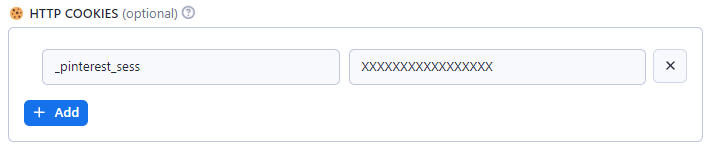 ## 📌 Advanced Usage ### 🍿 Pinterest Query Language (PQL)
 html [ <COMMAND:> | # | @ ] [ <NAME> | <ID> | <KEYWORD> | <URL> ] [ /<SECTION> ] ### 🍿 Possible QUERY values | Format | Example | Description | |-|-|-| |<KEYWORDS> | wood furniture |Search Anything| |KEYWORDS |square pants|Search pins| |videos:<KEYWORDS> |videos:wooden chairs|Search videos| |boards:<KEYWORDS> |boards:yellow cats |Search boards| |users:<KEYWORDS> |users:apify|Search users| |stories:<KEYWORDS> |stories:garden|Search stories | |products:<KEYWORDS> |products:computer|Search products
(cookie required)| |#<TOPIC>| #art or #961238559656 |Idea (topic/interest)| |topic:<TOPIC>| topic:961238559656 | | |/info| #art/info|Topic info and stats| |/pins| #art/pins|Topic related pins| |/videos| #art/videos|Topic related videos| |<PIN> | 1234567890 | Pin (post) Data| |/info|1234567890/info|Pin info and stats| |/related|1234567890/related|Related pins| |/comments|1234567890/comments|Pin comments| |/visual|1234567890/visual|Pin visual search| |/products|1234567890/products|Pin related products
(cookie required)| |@<USER> | @microsoft | User Data| |/info | @microsoft/info|User info| |/followers|@microsoft/followers|User followers| |/following|@microsoft/following|User following| |/pins|@microsoft/pins|User pins| |/boards|@walmart/boards|User boards| |/created|@walmart/created|User created pins| |/products|@amazon/products|User (seller) products| |@<USER>:<BOARD>|@microsoft:travel|Board Data |board:<BOARD_ID>|board:120013001|Board Data (by board ID) |/info|board:120013001/info|Board info| |/sections|board:120013001/sections|Board section (sub-folders)| |/pins|board:120013001/pins|Board pins| |/members|board:120013001/members|Board members (collaborators)| |/followers|board:120013001/followers|Board followers| |/ideas| board:120013001/ideas | More pins (ideas) |@<USER>:BOARD:SECTION|@microsoft:travel:india| Sub-board Data |section:<SECTION_ID>|section:310002100| Sub-board (by section ID) |/info|section:310002100/info|Sub-board info| |/pins|section:310002100/pins|Sub-board pins| |https:<URL> | https://*.pinterest.com/... |Start URL| | /search/<TYPE>/?q=KEYWORD| | Search for pins specific type | | /ideas/<TOPIC>/<TOPIC_ID> | |Search specific topic/interest | /pin/<PIN>| https://id.pinterest.com/pin/1234567890 | User pin related | | /pin/<PIN>/visual-search| |User pin visual search | | /<USER>| https://id.pinterest.com/microsoft | User info | | /<USER>/pins| | User pins | | /<USER>/_created | |User created pins | | /<USER>/_saved | |User boards | | /<USER>/<BOARD> | |Board pins | | /<USER>/<BOARD>/<SECTION> | | Board sub-folder pins | ## 📌 Tutorial ### 🍿 Example #1: Searching Searching for pins yaml { "query": ["Window and Furniture"] } Searching for videos only yaml { "query": ["vidoes:Cat House"] } Searching for products yaml { "query": ["products:Square Pants"] } ### 🍿 Example #2: User Profile User/profile info and stats yaml { "query": ["@microsoft/info"] } User boards list yaml { "query": ["@microsoft/boards"] } User products list yaml { "query": ["@amazon/products"] } ### 🍿 Example #3: Number of Results Use LIMIT to increase or limit number of results (per-query) yaml { "query": ["@microsoft/pins"], "limit": 100 } ### 🍿 Example #4: Board and Section Pins User Board pins yaml { "query": ["@microsoft:travel/pins"], "limit": 100 } User Board may have sub-boards (sections) yaml { "query": ["@microsoft:travel:india/pins"], "limit": 100 } For Board more detail info, use query board:<BOARD_ID>
Use query @USER/boards to get list of user boards and its ID yaml { "query": ["board:12300100002/info"] } # board info { "query": ["board:12300100002/pins"], "limit": 100 } # board pins Board sub-folders list yaml { "query": ["board:12300100002/sections"], "limit": 100 } ### 🍿 Example #5: Pin Info Pin info and statistics yaml { "query": ["1234567890/info"] } Pin related pins yaml { "query": ["1234567890/related"], "limit": 50 } Pin comments yaml { "query": ["1234567890/comments"], "limit": 50 } ### 🍿 Example #6: URL As last resort, you can copy and paste an URL yaml { "query": ["https://id.pinterest.com/microsoft/"] } ### 🍿 Example #7: Multiple Queries Multiple user info yaml { "query": [ "@google/info", "@walmart/info", "@apify/info" ] } Multiple user pins yaml { "query": [ "@amazon/products", "@walmart/products", "@nike/products", "@apify/pins", "videos:yellow cat" ], "limit": 10 # 10 results per-query } Different QUERY may have different attributes set.
You can combine different type of QUERY in a single request but not recommended. yaml { "query": [ "@google/info", "120000199922/info", "#art/info" ] } ## 📌 Output Samples ### 🍿 Sample #1: JSON Output yaml { "board": { "name": "Lưu nhanh", "url": "/bch7946/_quick_saves/" }, "created_at": "Tue, 14 Mar 2023 15:23:53 +0000", "domain": "tracking.feedpress.it", "grid_title": "Microsoft Ads Introduces Cookie-Based Experiment Feature", "id": "1066438386741918409", "image_crop": { "max_y": 1 }, "image_signature": "1cc0030a7989dbcfe3b6b58d0f06f58c", "images": { "170x": { "height": 123, "url": "https://i.pinimg.com/236x/1c/c0/03/1cc0030a7989dbcfe3b6b58d0f06f58c.jpg", "width": 236 }, "236x": { "height": 123, "url": "https://i.pinimg.com/236x/1c/c0/03/1cc0030a7989dbcfe3b6b58d0f06f58c.jpg", "width": 236 }, "474x": { "height": 248, "url": "https://i.pinimg.com/474x/1c/c0/03/1cc0030a7989dbcfe3b6b58d0f06f58c.jpg", "width": 474 }, "736x": { "height": 386, "url": "https://i.pinimg.com/736x/1c/c0/03/1cc0030a7989dbcfe3b6b58d0f06f58c.jpg", "width": 736 }, "orig": { "height": 840, "url": "https://i.pinimg.com/originals/1c/c0/03/1cc0030a7989dbcfe3b6b58d0f06f58c.png", "width": 1600 } }, "is_uploaded": true, "link": "http://tracking.feedpress.it/link/13962/13489926", "pinner": { "full_name": "Trâm Bích", "id": "1066438524171071800", "image_large_url": "https://s.pinimg.com/images/user/default_140.png", "image_medium_url": "https://s.pinimg.com/images/user/default_75.png", "image_small_url": "https://s.pinimg.com/images/user/default_30.png", "username": "bch7946" }, "reaction_counts": { "1": 1 }, "rich_summary": { "display_description": "Microsoft Ads added an additional feature to the Experiment functionality launched last July: cookie-based audience specifications.", "display_name": "Microsoft Ads Introduces Cookie-Based Experiment Feature", "favicon_images": { "orig": "https://i.pinimg.com/favicons/e4793202be714776e9ec57cd8452dea6839302dcaf946ff7c8a69e07.png?9292791bfd447d72ea6e3c05a904eb89" }, "favicon_link": "https://i.pinimg.com/favicons/e4793202be714776e9ec57cd8452dea6839302dcaf946ff7c8a69e07.png?9292791bfd447d72ea6e3c05a904eb89", "id": "0c15d83843dccc4039dbbb3091133efd", "site_name": "Search Engine Journal", "type": "richpingriddata", "type_name": "article", "url": "http://tracking.feedpress.it/link/13962/13489926" }, "type": "pin" } ### Sample #2: Simple HTML Gallery 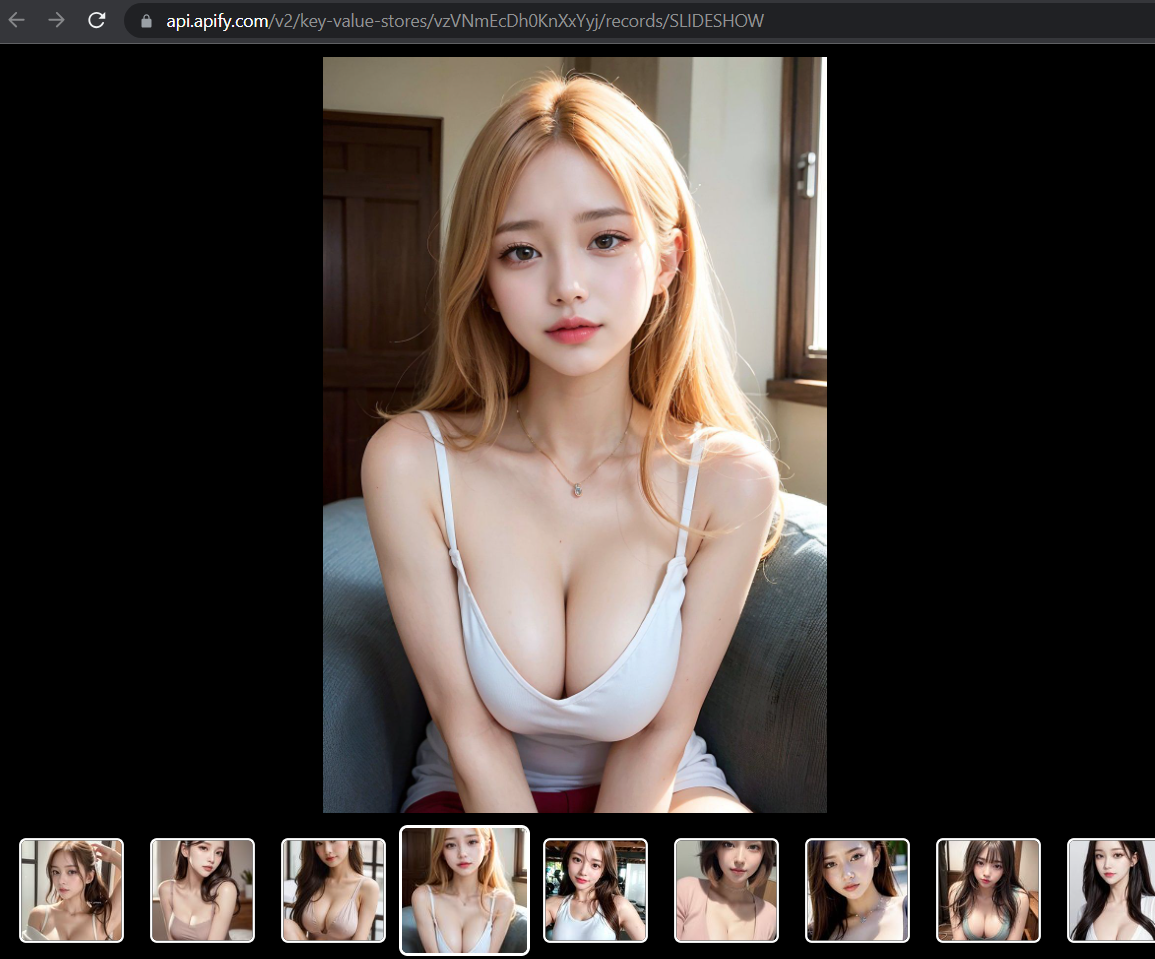 ## 📌 Support
  - ⚡️ Congratulation! you have mastered "How to scrape Pinterest using APIFY Pinterest Explorer" - ⚡️ Feel free to reach out to the developer for any issues or suggestions for improvement.
Categories
Common Use Cases
Market Research
Gather competitive intelligence and market data
Lead Generation
Extract contact information for sales outreach
Price Monitoring
Track competitor pricing and product changes
Content Aggregation
Collect and organize content from multiple sources
Ready to Get Started?
Try Pinterest Explorer 📌 now on Apify. Free tier available with no credit card required.
Start Free TrialActor Information
- Developer
- jupri
- Pricing
- Paid
- Total Runs
- 156,901
- Active Users
- 381
Related Actors

🏯 Tweet Scraper V2 - X / Twitter Scraper
by apidojo

Instagram Scraper
by apify

TikTok Scraper
by clockworks

Instagram Profile Scraper
by apify
Apify provides a cloud platform for web scraping, data extraction, and automation. Build and run web scrapers in the cloud.
Learn more about ApifyNeed Professional Help?
Couldn't solve your problem? Hire a verified specialist on Fiverr to get it done quickly and professionally.
Trusted by millions | Money-back guarantee | 24/7 Support