
Monocle: The Monitor 🧐
by cyberfly
Monitor ANYTHING 24/7. Content and listings. Compare results. Get mobile alerts. Trigger actions. Filter using keywords or custom conditions. Useful f...
Opens on Apify.com
About Monocle: The Monitor 🧐
Monitor ANYTHING 24/7. Content and listings. Compare results. Get mobile alerts. Trigger actions. Filter using keywords or custom conditions. Useful for listings, news, articles, products and more.
What does this actor do?
Monocle: The Monitor 🧐 is a web scraping and automation tool available on the Apify platform. It's designed to help you extract data and automate tasks efficiently in the cloud.
Key Features
- Cloud-based execution - no local setup required
- Scalable infrastructure for large-scale operations
- API access for integration with your applications
- Built-in proxy rotation and anti-blocking measures
- Scheduled runs and webhooks for automation
How to Use
- Click "Try This Actor" to open it on Apify
- Create a free Apify account if you don't have one
- Configure the input parameters as needed
- Run the actor and download your results
Documentation
# Monocle: Content & Listings Monitor 🧐 > Automated monitoring of listings and page contents with instant alerts and actions! Monitor online: - content 📋 - listings 📜 for - arrivals ✨ - updates 📡 use (optional) - keywords 🔑 - filters 🎯 get - actions 🤖 ⚙️ - alerts 📢📱🔔 on changes of interest (e-mail, mobile push notifications). Use existing watchers or create your own config easily. ## Examples > Did you miss the job | news | deal | offer | announcement ? > > Forget about checking and missing anything ever again! ### Listings Before|➔|Change :-:|:-:|:-: 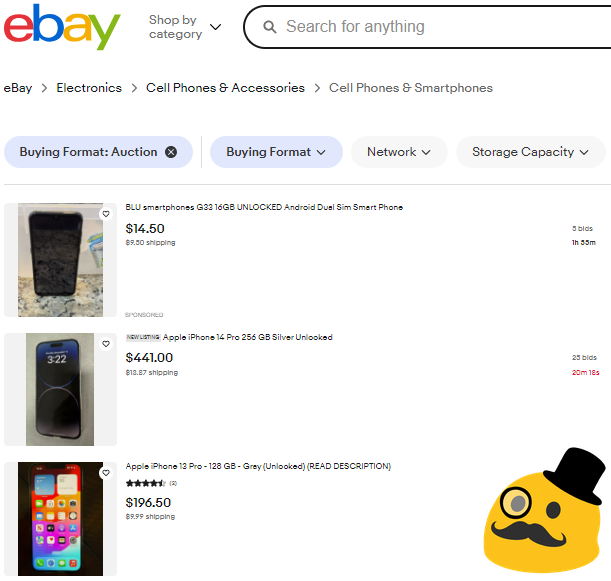 |➔|
|➔|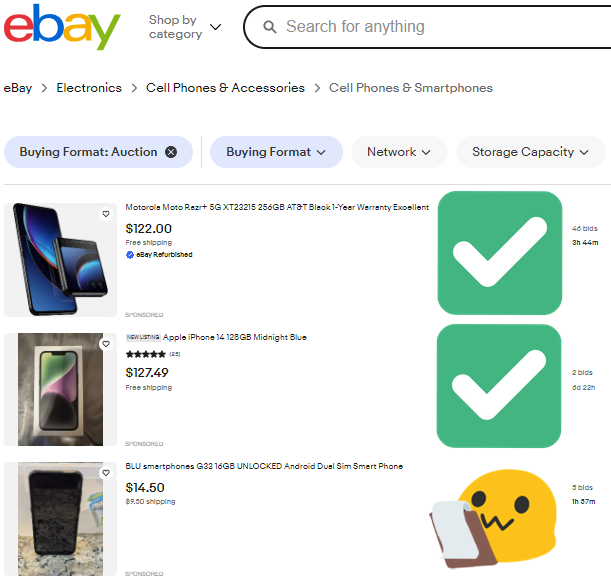 ### Articles Before|➔|Change :-:|:-:|:-:
 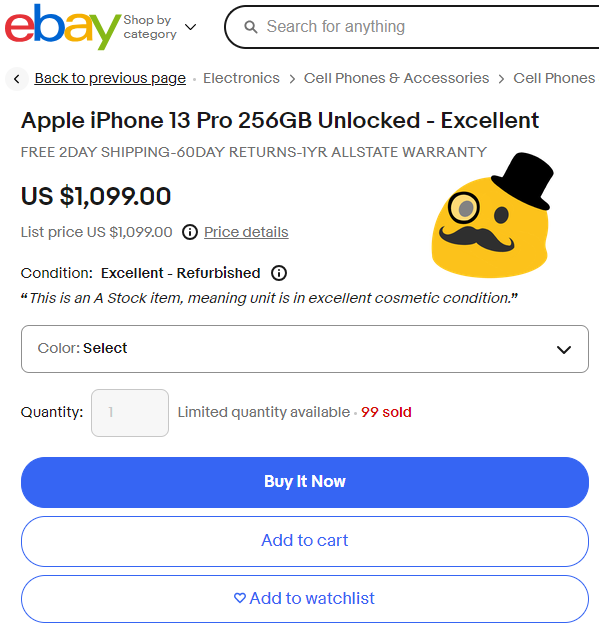 |➔|
|➔|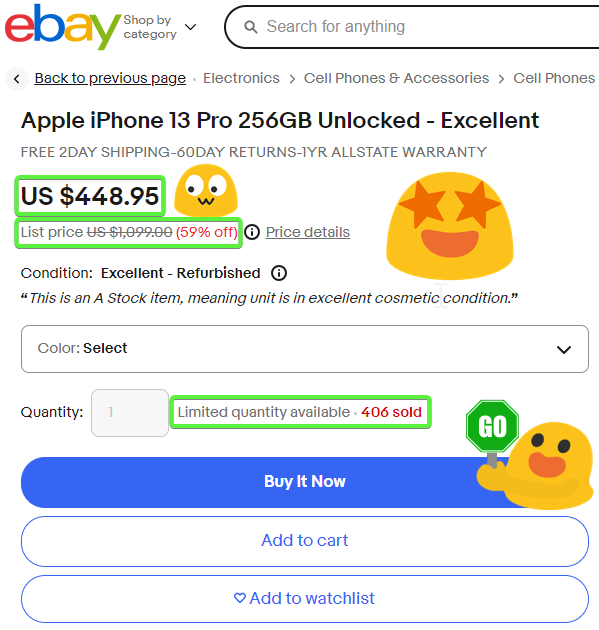 ### Updates Before|➔|Change :-:|:-:|:-:
 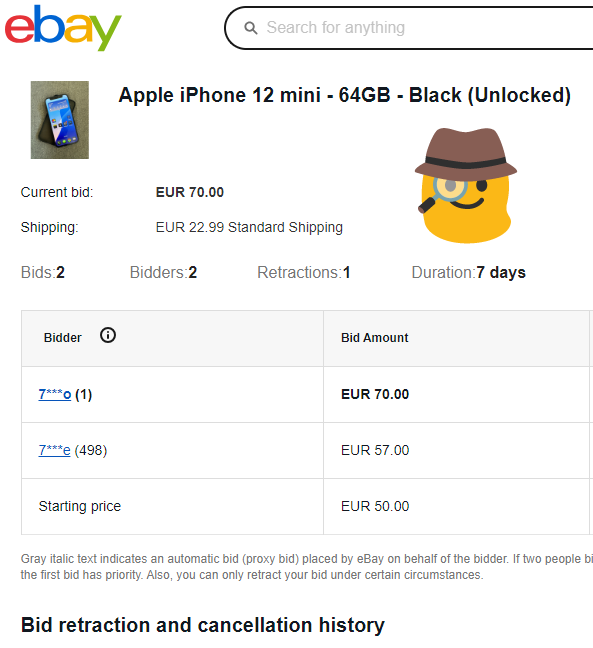 |➔|
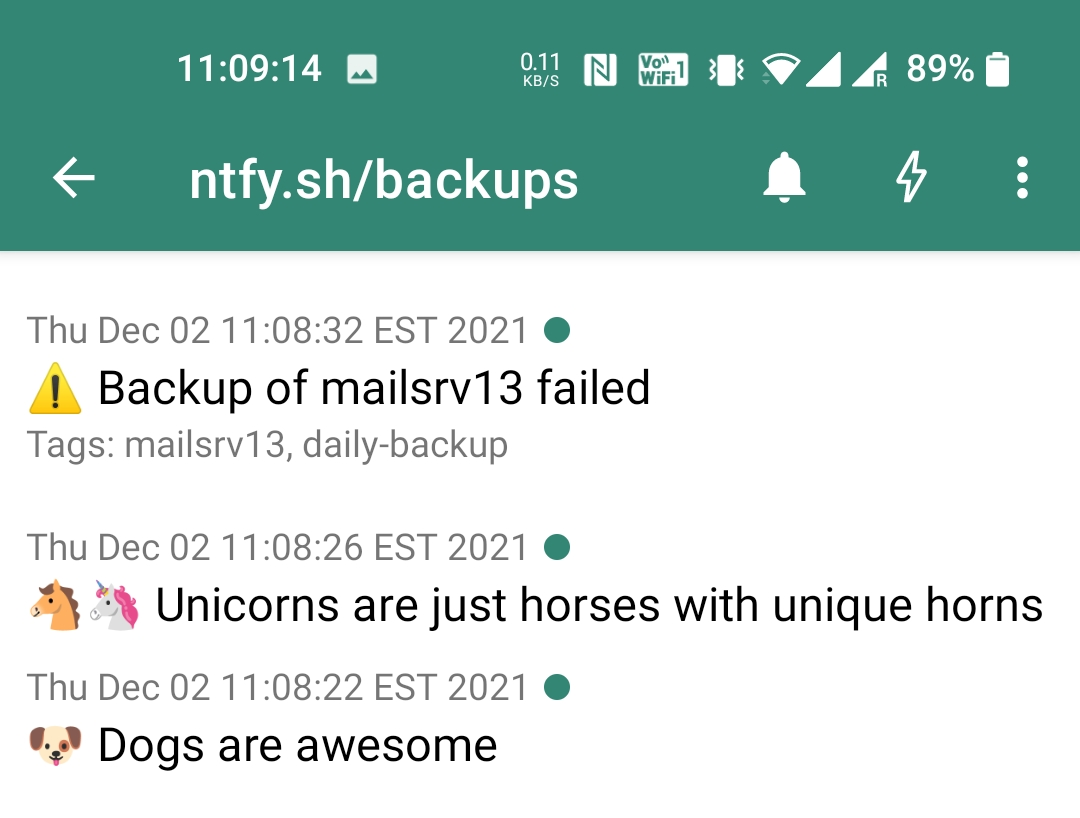
|➔|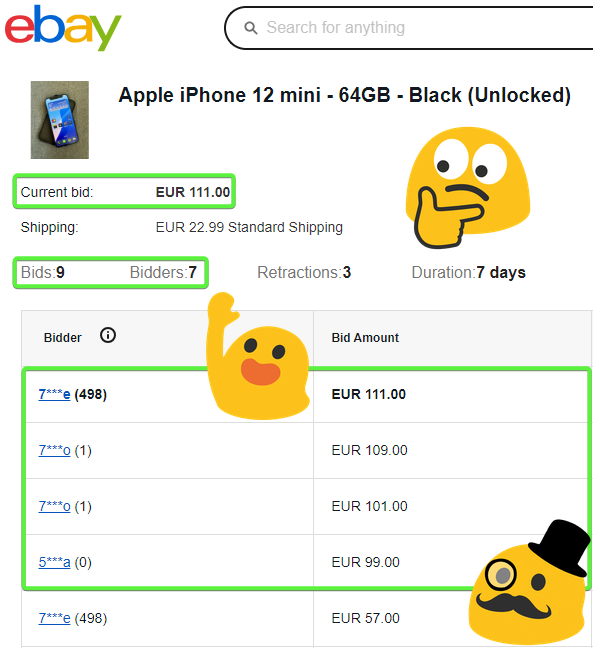 ## Support Need help? 🔥 Found a bug? 🐞 Get in touch! 👋🙂 Need more? 💯 Get a free custom config 🎁 ## Features Monitor anything at all times while you kick back and relax! 🍿 🏖️ 🌴 ### Listings 📜 Monitor any lists, listings and listable items. Pagination is supported! - jobs 🧰 - news 📺 - blogs ✍️ - issues 🛠️ - articles 📋 - products 🛒 - anything! 💡 ### Actions 🤖 #### Integrations ⚙️ - custom actions triggered by updates through integrations #### Notifications 🔔 - real-time mobile alerts 📱 for audible feedback (or e-mail) ### Filters 🎯 Filter the updates using keywords and static filters Filter|➔|Result :-:|:-:|:-: "apify"|➔|
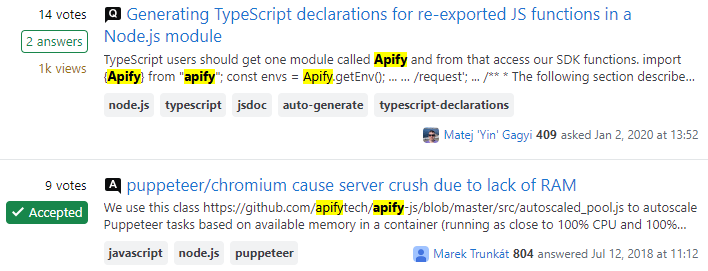 Track changes over time against previous records with advanced conditions and dynamic filters Filters|➔|Result :-:|:-:|:-:
 price < oldPrice * 0.7|➔|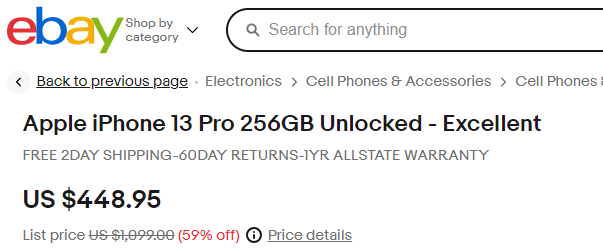 ### Pages 📃 Pagination support for listings spread across multiple pages.
  ### Login 👱 Reuse user sessions where user authentication is required. ## Objectives 🏹 Watch and track: - new items (e.g. articles, products etc.) - any list of items that is updated regularly (news, jobs etc.) - any change in items (e.g. price, availability, description etc.) - any change based on absolute rules (e.g. price under a static limit) - any change based on relative rules (e.g. price 50% lower than before) ## Motivation 🌱 > Have your watchdog keep an eye out for you! - monitor new posts, articles and news feeds - monitor inventory of available products - monitor jobs with desired keywords - monitor projects on marketplaces - monitor reports in bug trackers - monitor sales and discounts - monitor your competitors - ... etc. ## Roadmap 🗺️ - more default configs - more notification services - support for pagination - done! ✔️ - full login/session support with 2FA/MFA - 50% - bypass browser using a parser for better efficiency ## Selectors Need help with page element selectors? - Apify Academy - intro - Apify Academy - guide Even better - use this automatic helper: - SelectorGadget - Chrome extension for automated visual element selection > Click on a page element that you would like your selector to match (it will turn green). SelectorGadget will then generate a minimal CSS selector for that element, and will highlight (yellow) everything that is matched by the selector. Now click on a highlighted element to reject it (red), or click on an unhighlighted element to add it (green). Through this process of selection and rejection, SelectorGadget helps you to come up with the perfect CSS selector for your needs. Holding 'shift' while moving the mouse will let you select elements inside of other selected elements.

Categories
Common Use Cases
Market Research
Gather competitive intelligence and market data
Lead Generation
Extract contact information for sales outreach
Price Monitoring
Track competitor pricing and product changes
Content Aggregation
Collect and organize content from multiple sources
Ready to Get Started?
Try Monocle: The Monitor 🧐 now on Apify. Free tier available with no credit card required.
Start Free TrialActor Information
- Developer
- cyberfly
- Pricing
- Paid
- Total Runs
- 10,487
- Active Users
- 52
Related Actors

Video Transcript Scraper: Youtube, X, Facebook, Tiktok, etc.
by invideoiq

Linkedin Profile Details Scraper + EMAIL (No Cookies Required)
by apimaestro

Twitter (X.com) Scraper Unlimited: No Limits
by apidojo

Content Checker
by jakubbalada
Apify provides a cloud platform for web scraping, data extraction, and automation. Build and run web scrapers in the cloud.
Learn more about ApifyNeed Professional Help?
Couldn't solve your problem? Hire a verified specialist on Fiverr to get it done quickly and professionally.
Trusted by millions | Money-back guarantee | 24/7 Support