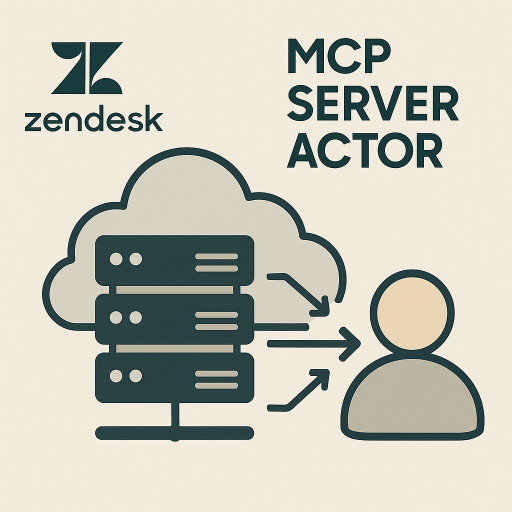
Zendesk MCP Server Actor
by amaranth_nylon
The Zendesk MCP Server Actor refers to a specialized software component or actor within the Model Context Protocol (MCP) framework, designed to facili...
Opens on Apify.com
About Zendesk MCP Server Actor
The Zendesk MCP Server Actor refers to a specialized software component or actor within the Model Context Protocol (MCP) framework, designed to facilitate seamless integration between artificial intelligence (AI) agents and Zendesk's customer support platform.
What does this actor do?
Zendesk MCP Server Actor is a web scraping and automation tool available on the Apify platform. It's designed to help you extract data and automate tasks efficiently in the cloud.
Key Features
- Cloud-based execution - no local setup required
- Scalable infrastructure for large-scale operations
- API access for integration with your applications
- Built-in proxy rotation and anti-blocking measures
- Scheduled runs and webhooks for automation
How to Use
- Click "Try This Actor" to open it on Apify
- Create a free Apify account if you don't have one
- Configure the input parameters as needed
- Run the actor and download your results
Documentation
Zendesk MCP Server Actor A Model Context Protocol (MCP) server for Zendesk integration, running as an Apify Actor. This server provides tools for interacting with Zendesk, including ticket management, user operations, and search functionality through the MCP protocol. ## Features - Ticket Management: Create, read, update, and comment on support tickets - User Management: View user information and details - Search: Advanced ticket search with flexible query options - Resources: Access Zendesk tickets, users, groups, and ticket fields - Prompts: Templates for creating tickets, crafting responses, and analyzing data - Pay-per-Event Pricing: Transparent pricing model with pay-per-use for each operation ## Available Tools | Tool | Description | Price per Use | |------|-------------|---------------| | get_ticket | Get details of a specific Zendesk ticket | $0.001 | | create_ticket | Create a new ticket with subject, description, priority, and tags | $0.01 | | update_ticket | Update status, priority, or add comments to existing tickets | $0.005 | | add_ticket_comment | Add public or private comments to tickets | $0.002 | | search_tickets | Search tickets with custom queries and sorting options | $0.01 | | get_user | Get details of a specific Zendesk user | $0.001 | ## Available Resources - zendesk://tickets - List of all recent Zendesk tickets - zendesk://users - List of all Zendesk users - zendesk://ticket-fields - List of all ticket fields (default and custom) - zendesk://groups - List of support groups in the Zendesk account ## Available Prompts - create_ticket - Template for creating a new ticket with appropriate details - ticket_response - Template for drafting professional responses to tickets - ticket_analysis - Template for analyzing ticket data and trends ## Configuration ### Required Environment Variables Set the following environment variables when deploying the Actor: - ZENDESK_BASE_URL - Your Zendesk subdomain URL (e.g., https://your-subdomain.zendesk.com) - ZENDESK_EMAIL - Your Zendesk account email address - ZENDESK_API_TOKEN - Your Zendesk API token To get an API token, visit Admin > Channels > API in your Zendesk Support admin interface. ### Optional Configuration - SESSION_TIMEOUT_SECS - Inactivity timeout in seconds before terminating idle sessions (default: 300) ## Usage ### Deploy to Apify 1. Deploy this Actor to the Apify platform 2. Configure the required environment variables in the Actor input 3. Start the Actor in STANDBY mode 4. Use the provided MCP endpoint URL to connect from your MCP client ### Connect from MCP Client Once the Actor is running in STANDBY mode, add the following configuration to your MCP client (e.g., Claude Desktop, VS Code): json { "mcpServers": { "zendesk-mcp-server": { "type": "http", "url": "https://YOUR_ACTOR_STANDBY_URL/mcp", "headers": { "Authorization": "Bearer YOUR_APIFY_TOKEN" } } } } Replace: - YOUR_ACTOR_STANDBY_URL with the standby URL provided by Apify - YOUR_APIFY_TOKEN with your Apify API token ### Example Queries Once connected to Claude or another MCP client, you can ask questions like: - "Show me all open tickets with high priority" - "Create a new ticket for a customer who can't log into their account" - "Find all tickets submitted by user@example.com" - "What's the status of ticket #12345?" - "Add a reply to ticket #12345 explaining how to reset a password" ## Development ### Local Development 1. Clone the repository: bash git clone https://github.com/Yash-Kavaiya/Zendesk-MCP-Server-actor.git cd Zendesk-MCP-Server-actor 2. Install dependencies: bash pip install -e . 3. Set up environment variables: bash export ZENDESK_BASE_URL="https://your-subdomain.zendesk.com" export ZENDESK_EMAIL="your_email@example.com" export ZENDESK_API_TOKEN="your_api_token" export APIFY_META_ORIGIN="STANDBY" 4. Run the server: bash python -m src ### Project Structure Zendesk-MCP-Server-actor/ ├── .actor/ │ ├── actor.json # Actor metadata │ ├── Dockerfile # Container configuration │ ├── input_schema.json # Input configuration schema │ └── pay_per_event.json # Pricing configuration ├── src/ │ ├── __init__.py # Package initialization │ ├── __main__.py # Main entry point │ ├── const.py # Constants and tool whitelist │ ├── models.py # Data models │ ├── event_store.py # Event store implementation │ ├── mcp_gateway.py # MCP gateway logic │ └── server.py # Proxy server implementation ├── pyproject.toml # Project configuration ├── README.md # This file └── .gitignore # Git ignore rules ## Architecture This Actor is built on the Apify Python MCP Server Template and uses the following components: 1. MCP Gateway: Proxies requests between MCP clients and the Zendesk MCP server 2. Proxy Server: Exposes a Streamable HTTP transport endpoint at /mcp 3. Event Store: Maintains session state for connection resumption 4. Charging System: Integrates with Apify's pay-per-event pricing model ## Links - Zendesk MCP Server on PyPI - Apify Python MCP Server Template - Model Context Protocol Documentation - Apify Platform ## License This project is licensed under the Apache License 2.0. ## Support For issues and questions: - GitHub Issues: Report an issue - Apify Support: Contact Apify ## Version Current version: 0.1.0 ## Credits Built with: - mcp-zendesk - The underlying Zendesk MCP server - Apify SDK - Apify Python SDK - Model Context Protocol - MCP specification
Categories
Common Use Cases
Market Research
Gather competitive intelligence and market data
Lead Generation
Extract contact information for sales outreach
Price Monitoring
Track competitor pricing and product changes
Content Aggregation
Collect and organize content from multiple sources
Ready to Get Started?
Try Zendesk MCP Server Actor now on Apify. Free tier available with no credit card required.
Start Free TrialActor Information
- Developer
- amaranth_nylon
- Pricing
- Paid
- Total Runs
- 3
- Active Users
- 1
Related Actors

Web Scraper
by apify

Cheerio Scraper
by apify

Website Content Crawler
by apify

Legacy PhantomJS Crawler
by apify
Apify provides a cloud platform for web scraping, data extraction, and automation. Build and run web scrapers in the cloud.
Learn more about ApifyNeed Professional Help?
Couldn't solve your problem? Hire a verified specialist on Fiverr to get it done quickly and professionally.
Trusted by millions | Money-back guarantee | 24/7 Support