
Fuel Prices ANZ Scraper
by abotapi
Scrapes petrol and fuel prices data across Australia and New Zealand. Search by address or coordinates to find nearby stations with current fuel price...
Opens on Apify.com
About Fuel Prices ANZ Scraper
Scrapes petrol and fuel prices data across Australia and New Zealand. Search by address or coordinates to find nearby stations with current fuel prices.
What does this actor do?
Fuel Prices ANZ Scraper is a web scraping and automation tool available on the Apify platform. It's designed to help you extract data and automate tasks efficiently in the cloud.
Key Features
- Cloud-based execution - no local setup required
- Scalable infrastructure for large-scale operations
- API access for integration with your applications
- Built-in proxy rotation and anti-blocking measures
- Scheduled runs and webhooks for automation
How to Use
- Click "Try This Actor" to open it on Apify
- Create a free Apify account if you don't have one
- Configure the input parameters as needed
- Run the actor and download your results
Documentation
Fuel Prices ANZ Scraper 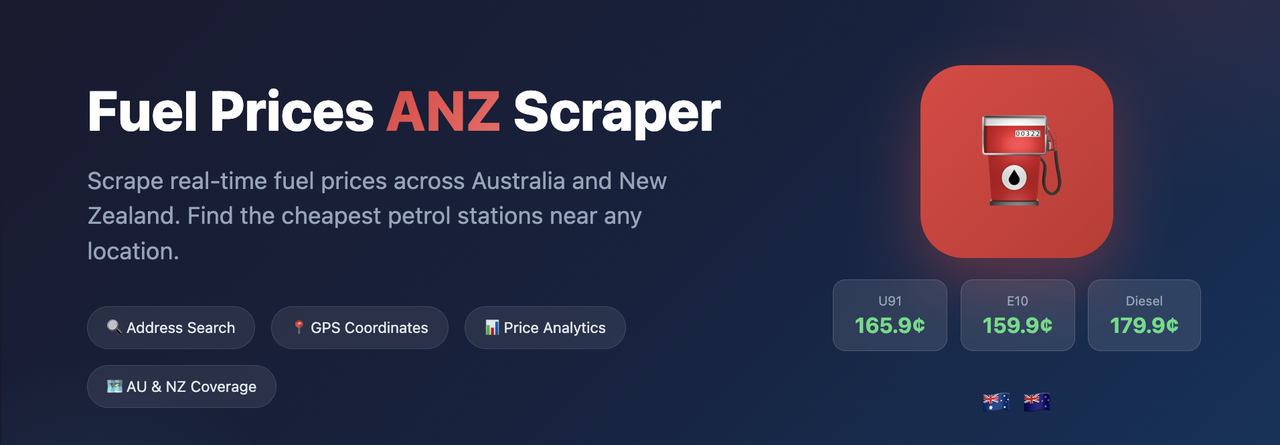 Scrapes petrol and fuel prices data across Australia and New Zealand. Search by address or coordinates to find nearby stations with current fuel prices. ## Features - Address-Based Search: Search by suburb, postcode, or full address (e.g., "Sydney CBD", "3168", "Clayton VIC") - Coordinate Search: Search by latitude/longitude for precise location targeting - Offline Geocoding: Uses local AU/NZ postcode datasets - no external API dependencies - Price Analytics: Automatic price summaries with min/max/avg per fuel type - Cheapest Fuel Finder: Highlight the cheapest station for a specific fuel type - Proxy Support: Built-in Apify proxy configuration for reliable scraping ## Use Cases - Fuel Price Monitoring: Track fuel prices across suburbs and regions - Cost Optimization: Find the cheapest fuel stations in your area - Market Analysis: Analyze fuel price trends and variations - Fleet Management: Monitor fuel costs for business vehicle operations - AI/ML Training Data: Build datasets for price prediction models ## Input Parameters | Parameter | Type | Default | Description | |-----------|------|---------|-------------| |
 address | string | - | Search address (e.g., "Sydney CBD", "Clayton VIC", "2000") | | lat | number | - | Latitude coordinate (use with lng if no address) | | lng | number | - | Longitude coordinate (use with lat if no address) | | radiusKm | number | 5 | Search radius in kilometers (1-50) | | fuelType | string | - | Optional fuel type filter (U91, E10, Diesel, U95, U98, LPG) | | proxy | object | - | Optional proxy configuration | Note: Either address OR both lat and lng must be provided. ## Usage Examples ### Search by Suburb json { "address": "Sydney CBD", "radiusKm": 5, "fuelType": "U91" } ### Search by Postcode json { "address": "3168", "radiusKm": 10 } ### Search by Coordinates json { "lat": -33.8688, "lng": 151.2093, "radiusKm": 5, "fuelType": "E10" } ### With Proxy Configuration json { "address": "Auckland", "radiusKm": 5, "proxy": { "useApifyProxy": true, "apifyProxyGroups": ["RESIDENTIAL"], "apifyProxyCountry": "AU" } } ## Output Format ### Station Data (Dataset) Each station is stored as a separate record: json { "stationId": "556fcfdccf79db30f9694c0b", "name": "Z Mount Albert", "brand": "Z", "location": { "lat": -36.8805, "lng": 174.7249, "address": "774 New North Rd", "suburb": "Mount Albert", "state": "", "postcode": "1025" }, "phone": "+6498463964", "prices": { "U91": { "price": 287.9, "updatedAt": 1739137133695, "reportedBy": "Leacim", "relevant": false }, "U95": { "price": 306.9, "updatedAt": 1739137133694, "reportedBy": "Leacim", "relevant": false }, "DIESEL": { "price": 219.9, "updatedAt": 1739137133694, "reportedBy": "Leacim", "relevant": false } }, "tradingHours": null, "isAdBlueAvailable": false, "verified": false, "searchContext": { "searchLocation": { "lat": -36.8609, "lng": 174.7695, "address": "Auckland, Auckland 1148, NZ" }, "boundingBox": {...}, "radiusKm": 5 } } ### Summary Output (Key-Value Store) The OUTPUT key contains aggregated results: json { "searchLocation": { "lat": -36.8609, "lng": 174.7695, "address": "Auckland, Auckland 1148, NZ" }, "radiusKm": 5, "totalStations": 39, "priceSummary": { "totalStations": 39, "fuelTypes": { "U91": { "min": 235.9, "max": 290.9, "avg": 263.5, "count": 34 }, "U95": { "min": 235, "max": 306.9, "avg": 282.2, "count": 28 }, "DIESEL": { "min": 151.7, "max": 245, "avg": 195.2, "count": 38 } }, "generatedAt": "2025-12-01T07:59:11.317619" }, "stations": [...] } ## Supported Fuel Types | Code | Description | |------|-------------| | U91 | Unleaded 91 | | E10 | Ethanol 10 | | U95 | Unleaded 95 | | U98 | Unleaded 98 | | Diesel | Diesel | | LPG | Liquefied Petroleum Gas | | PremDSL | Premium Diesel | | TruckDSL | Truck Diesel | | AdBlue | AdBlue | | E85 | Ethanol 85 | ## Supported Regions ### Australia All states and territories: NSW, VIC, QLD, SA, WA, TAS, NT, ACT ### New Zealand All regions including Auckland, Wellington, Canterbury, Otago, and more ## Output Storage ### Dataset - Each station is stored as a separate record - Exportable to JSON, CSV, Excel, XML ### Key-Value Store - OUTPUT: Complete results with price summary and all stations ## Standby Mode (HTTP API) This Actor supports Standby mode for real-time HTTP API access with low latency. When enabled, the Actor runs as a persistent HTTP server. ### Base URL https://<your-username>--fuel-prices-anz-scraper.apify.actor ### Endpoints | Endpoint | Method | Description | |----------|--------|-------------| | / | GET | API information and available endpoints | | /health | GET | Health check endpoint | | /search | GET/POST | Search for fuel stations | ### Search Parameters | Parameter | Type | Description | |-----------|------|-------------| | suburb | string | Suburb or city name (e.g., "Sydney", "Melbourne", "Auckland") | | lat | number | Latitude (use with lng) | | lng | number | Longitude (use with lat) | | radiusKm | number | Search radius in km (default: 5) | | fuelType | string | Filter by fuel type (U91, E10, U95, U98, Diesel, LPG) | ### Example Requests Search by suburb (GET): bash curl "https://<username>--fuel-prices-anz-scraper.apify.actor/search?suburb=Sydney&radiusKm=5&token=YOUR_TOKEN" Search by coordinates (GET): bash curl "https://<username>--fuel-prices-anz-scraper.apify.actor/search?lat=-33.8688&lng=151.2093&radiusKm=5&token=YOUR_TOKEN" Search with fuel type filter (POST): bash curl -X POST "https://<username>--fuel-prices-anz-scraper.apify.actor/search?token=YOUR_TOKEN" \ -H "Content-Type: application/json" \ -d '{"suburb": "Melbourne", "radiusKm": 10, "fuelType": "U91"}' ### Response Format json { "searchLocation": { "lat": -33.8688, "lng": 151.2093, "address": "Sydney, NSW 2000, AU" }, "radiusKm": 5, "totalStations": 42, "priceSummary": { "U91": {"min": 175.9, "max": 189.9, "avg": 182.4, "count": 38}, "E10": {"min": 172.9, "max": 186.9, "avg": 179.8, "count": 35} }, "cheapest": { "stationId": "...", "name": "Metro Petroleum", "price": 172.9, "fuelType": "E10" }, "stations": [...] } ### Enabling Standby Mode 1. Go to the Actor's Settings in Apify Console 2. Navigate to the Standby tab 3. Enable Standby mode and configure memory/timeout settings 4. Save changes - the Actor will start as an HTTP server
Categories
Common Use Cases
Market Research
Gather competitive intelligence and market data
Lead Generation
Extract contact information for sales outreach
Price Monitoring
Track competitor pricing and product changes
Content Aggregation
Collect and organize content from multiple sources
Ready to Get Started?
Try Fuel Prices ANZ Scraper now on Apify. Free tier available with no credit card required.
Start Free TrialActor Information
- Developer
- abotapi
- Pricing
- Paid
- Total Runs
- 51
- Active Users
- 2
Related Actors

Video Transcript Scraper: Youtube, X, Facebook, Tiktok, etc.
by invideoiq

Linkedin Profile Details Scraper + EMAIL (No Cookies Required)
by apimaestro

Twitter (X.com) Scraper Unlimited: No Limits
by apidojo

Content Checker
by jakubbalada
Apify provides a cloud platform for web scraping, data extraction, and automation. Build and run web scrapers in the cloud.
Learn more about ApifyNeed Professional Help?
Couldn't solve your problem? Hire a verified specialist on Fiverr to get it done quickly and professionally.
Trusted by millions | Money-back guarantee | 24/7 Support