



The Ultimate Stealth Cricket Viewer: When Web Dev Meets Sports Fandom
You know the feeling. It's the middle of the workday, there's a crucial cricket match happening, and you're stuck in front of a spreadsheet. Checking your phone every five minutes looks suspicious. Opening a sports website on your work computer? That's practically asking for a performance review. But what if your inbox could secretly become a live cricket dashboard?
That's exactly what one clever developer built and shared on Reddit—a fake Gmail interface that displays live cricket matches. Your inbox shows ongoing games, clicking an email reveals detailed scorecards, and each over appears as a reply thread with ball-by-ball commentary. The genius part? Press Escape when your boss walks by, and it instantly swaps to convincing fake work emails. Press it again, and you're back to the match.
This isn't just a fun side project—it's a masterclass in API integration, state management, and user experience design. The original post garnered over 1,300 upvotes and 87 comments, with developers asking everything from "How did you get the data?" to "Can this work for other sports?" In this guide, we'll break down exactly how this works, answer those community questions, and show you how to build your own version. Because let's be honest—we've all wanted something like this at some point.
Understanding the Core Concept: More Than Just a Prank
At first glance, this might seem like a simple joke project. But dig deeper, and you'll find sophisticated web development principles at work. The creator didn't just slap a cricket score widget into a Gmail clone—they built an entire parallel interface system with seamless transitions between states.
The key insight here is context switching. Most productivity tools assume you're either working or not working. This project acknowledges the reality of modern work: we're constantly toggling between tasks, checking notifications, and yes, occasionally sneaking in personal interests. The Escape key functionality isn't just a gimmick—it's a thoughtful user experience decision that respects the user's need for discretion.
From a technical perspective, this project demonstrates several important concepts: real-time data fetching, API rate limiting considerations, responsive design that mimics actual Gmail, and state management that preserves your place in the match when you toggle views. It's the kind of project that looks simple on the surface but requires careful planning to execute well.
The API Integration Backbone: Where the Magic Happens
Let's talk about the most common question from the Reddit discussion: "Where's the cricket data coming from?" The answer, of course, is APIs—but not just any APIs. You need real-time data that updates frequently, comprehensive match details, and reliable uptime.
The original developer likely used a combination of sources. Cricket data APIs like CricAPI, ESPNcricinfo's unofficial endpoints, or SportsDataIO provide live scores, commentary, and player statistics. These services typically offer RESTful APIs with WebSocket options for real-time updates. The tricky part isn't getting the data—it's processing it into the email metaphor.
Here's how the translation works: Each live match becomes an "email" in the inbox. The subject line shows teams and current score. The sender field might display "Live Match" or the tournament name. When you click an email, you're not opening a message—you're viewing a detailed scorecard with batting lineups, bowling figures, and match situation.
The commentary system is particularly clever. Each over becomes a "reply" in a thread, with individual balls as nested replies. The "sender" of each reply is the bowler's name. This creates a natural, readable flow that feels like an email conversation while actually delivering play-by-play commentary. It's a brilliant example of mapping unfamiliar data (cricket commentary) onto a familiar interface (email threads).
Building the Fake Gmail Interface: Attention to Detail Matters
If you're going to build something that needs to pass a casual glance from a boss or coworker, it has to look convincing. The original project nails this by meticulously recreating Gmail's interface elements. This isn't just about CSS—it's about behavioral details too.
Start with the layout. Gmail has a specific structure: left sidebar for labels/compose, main content area for emails, right sidebar for quick settings/ads. Your fake version needs to match this visually. Use browser developer tools to inspect actual Gmail's CSS properties, or better yet, use a component library that mimics Material Design (Google's design language).
But the real magic is in the interactions. When you hover over an email, it highlights. When you click checkboxes, they animate. The search bar needs to look functional. The compose button should be present (even if it doesn't actually work). These details sell the illusion.
One commenter on the original post asked: "What about unread counts and labels?" Great question. The developer could add subtle touches like showing "(3 unread)" next to "Live Matches" label, or creating automatic labels for test matches vs. T20s. These aren't necessary for functionality, but they enhance the believability.
The Escape Key Mechanism: State Management Wizardry
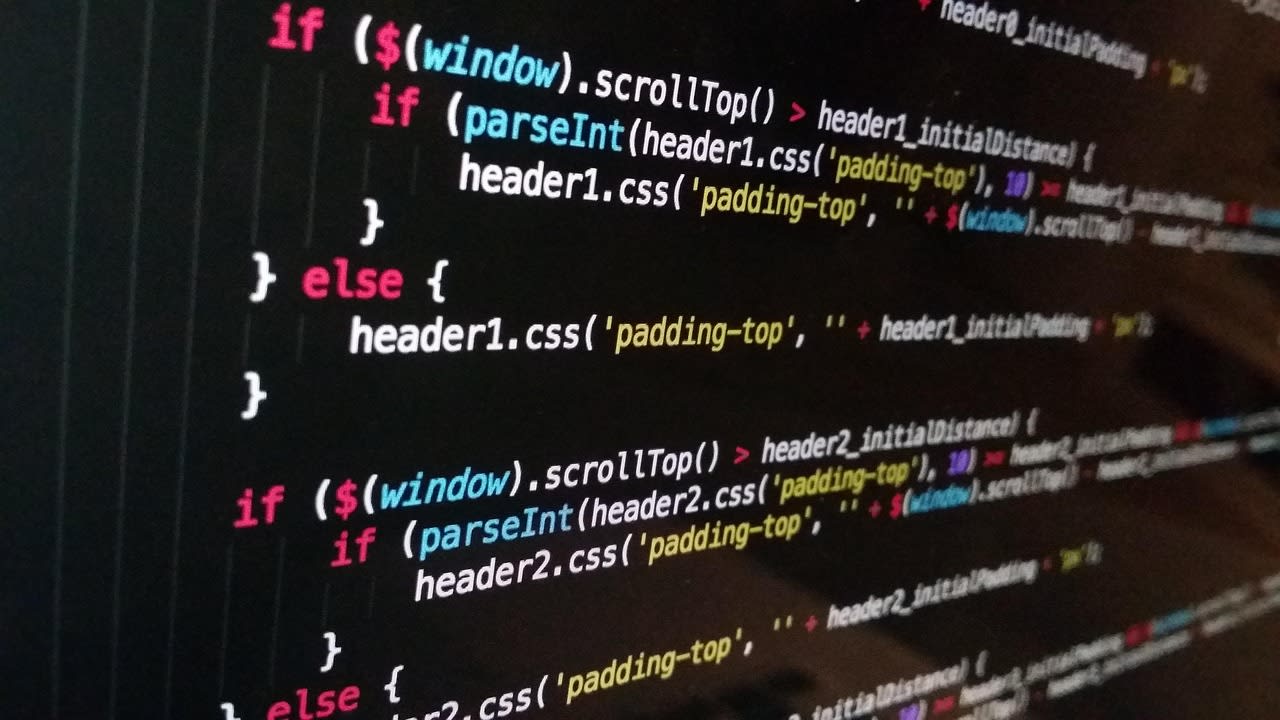
This is the feature everyone loves—and from a development perspective, it's fascinating. Pressing Escape doesn't just hide the cricket data; it swaps to an entirely different dataset while maintaining the same interface. How does this work without reloading the page?
The answer lies in state management. Modern JavaScript frameworks like React, Vue, or Svelte make this relatively straightforward. You maintain two sets of data: your real cricket data and your fake work emails. Both are structured identically—arrays of email objects with properties like subject, sender, body, timestamp, etc.
When the Escape key is pressed, you toggle a boolean state variable (let's call it isBossMode). Your component then conditionally renders either the cricket data or the fake email data based on this variable. The transition should be instant—no loading spinners, no noticeable delay.
But here's the pro tip from the Reddit discussion that many missed: you need to preserve scroll position and selected email. If you're reading commentary for the 15th over and your boss walks by, you want to return to exactly that spot after they leave. This means your state management needs to track not just which dataset is active, but also the user's position within that dataset.
Some developers in the comments suggested adding keyboard shortcuts beyond Escape—maybe Ctrl+Shift+C to toggle quickly, or arrow keys to navigate matches without touching the mouse. These are excellent enhancements that make the tool more practical for actual use.
Creating Convincing Fake Work Emails: The Art of Misdirection
When you press Escape, the interface switches to "work mode" with plausible-looking emails. This isn't just placeholder text—it needs to be convincing enough to withstand a glance over your shoulder. The original developer mentioned using AI-generated emails, but let's explore what makes fake emails believable.
First, variety matters. Your fake inbox should contain different types of emails: meeting invites, project updates, newsletter subscriptions, automated notifications from tools like Jira or GitHub, and the occasional "water cooler" message from colleagues. The timestamps should span several days, not all be from today.
Second, use realistic names and subjects. Instead of "John Smith" sending "Meeting," try "Priya from Marketing" sending "Q2 Campaign Assets - Final Review." Include company-specific jargon, project codenames, and realistic email addresses (not just @gmail.com, but also @yourcompany.com variations).
Third, consider the content. Short emails about scheduling, longer ones with bullet points about project status, threads with multiple replies discussing a technical issue—these patterns mimic real work communication. One Reddit commenter suggested using markov chains to generate more natural-sounding email bodies, which is a clever approach if you want to get fancy.
Remember: the goal isn't to create emails that would survive close inspection. It's to create enough visual noise that someone glancing at your screen for 2-3 seconds sees "emails" and moves on. The cognitive load of processing actual email content is high—most people just recognize the pattern and assume it's legitimate.
Handling Real-Time Updates Without Looking Suspicious
Here's a technical challenge the Reddit community identified: live cricket data updates constantly. New balls are bowled, scores change, wickets fall. If your fake Gmail is constantly refreshing or showing loading indicators, it looks suspicious. How do you handle real-time updates discreetly?
The solution involves WebSockets or Server-Sent Events for push updates, combined with subtle UI indicators. Instead of refreshing the entire page or even the entire email list, update only the specific elements that changed. If a new over starts, add it to the commentary thread without any visual flash. If the score changes, update the subject line with a smooth transition (not a sudden jump).
Consider adding a small, unobtrusive indicator that updates are happening. Maybe a barely-visible dot next to the "Live Matches" label, or a subtle animation on the timestamp of the most recent commentary. Something that a user actively watching the match would notice, but someone glancing wouldn't.
Rate limiting is another consideration. Cricket APIs often have request limits, especially free tiers. You don't want to poll every second—that's both inefficient and potentially detectable if someone monitors network traffic. Instead, align updates with natural breaks in play (between overs, when wickets fall, at drinks breaks). This matches the actual pace of cricket and reduces API calls.
Extending the Concept: Beyond Cricket, Beyond Gmail
The Reddit discussion was full of "could you do this for..." questions. Soccer matches during World Cup season? Stock tickers for day traders? Social media feeds? The answer is yes—the core concept is adaptable to any real-time data source that you want to monitor discreetly.
The key is mapping your data onto the email metaphor. For soccer, each match could be an email, with goals as reply threads. For stocks, each ticker could be an email, with price movements as replies. The interface remains familiar (Gmail), but the content changes based on your interests.
You could even take it further with customization options. Let users choose which data sources appear, set up alerts for specific events (like a wicket or a stock hitting a certain price), or customize the fake work emails to match their actual job. One commenter suggested integrating with calendar APIs to show actual meetings alongside fake ones—now that's next-level stealth.
The Gmail interface isn't the only option either. You could mimic Slack for team communications, Microsoft Teams for corporate environments, or even a code editor for developers. The principle remains: take a work-appropriate interface and secretly populate it with your personal interest data.
Ethical Considerations and Practical Limitations

Before you rush to build your own version, let's address the elephant in the room. Several Reddit commenters raised valid concerns about ethics, company policies, and potential consequences.
First, check your employment contract and IT policies. Many companies explicitly prohibit installing unauthorized software or accessing non-work websites during work hours. Even if you're building this yourself and running it locally, it might violate policy. This is especially true if you work with sensitive data or in regulated industries.
Second, consider the trust aspect. If you're constantly hiding what you're doing, maybe there's a deeper issue with your work environment or time management. Some commenters suggested that a better solution might be negotiating clearer break times or finding a workplace that respects personal boundaries.
Third, technical limitations exist. Corporate firewalls might block the cricket APIs. IT monitoring software might detect unusual network patterns. Keyboard logging might capture your Escape key presses. This isn't a foolproof system—it's a clever hack that works until it doesn't.
My personal take? This project is valuable primarily as a technical exercise. The skills you learn building it—API integration, state management, UI/UX design—are transferable to legitimate work projects. Whether you actually use it during work hours is a personal decision, but understand the risks.
Getting Started: Your Step-by-Step Implementation Plan
Ready to build your own? Here's a practical roadmap based on what we've learned from the original project and the Reddit discussion.
Start with the frontend. Choose a framework—React is a good choice because of its state management capabilities. Create a component that mimics Gmail's layout. Don't try to build everything at once; start with a static version that looks right.
Next, integrate a cricket API. Apify's web scraping actors can help if you need to extract data from websites that don't offer official APIs. For official APIs, CricAPI offers a free tier with basic functionality. Map the API responses to your email data structure.
Implement the state toggle. Add an event listener for the Escape key that switches between cricket data and fake email data. Make sure to preserve the user's position and selections.
Create your fake email dataset. You can use libraries like Faker.js to generate realistic data, or hire a copywriter on Fiverr to create industry-specific email content that matches your work context.
Add real-time updates. Start with polling every 30 seconds, then upgrade to WebSockets if your API supports it. Implement subtle UI indicators for updates.
Finally, test it. Ask a friend to glance at your screen from a distance. Does it look like Gmail? Does the toggle happen instantly? Is the fake email content believable? Iterate based on feedback.
Common Pitfalls and Frequently Asked Questions
Let's address some specific questions from the Reddit comments that we haven't covered yet.
"Won't IT see the network requests to cricket APIs?" Possibly. Use HTTPS to encrypt the traffic, but the destination will still be visible. Some developers suggested proxying requests through a "legitimate" looking domain or caching data to reduce requests. Honestly, if your IT department is monitoring that closely, you probably shouldn't be doing this at all.
"Can I make it work offline?" To some extent. You could cache recent match data and commentary, then display that when offline. Real-time updates obviously won't work, but you could show the last known state. Service Workers can help here.
"What about multiple matches at once?" The original project showed multiple emails for multiple matches. This works well—just treat each match as a separate email thread. You could add filtering or sorting options (by tournament, by excitement level, etc.) to manage many simultaneous matches.
"How do I deploy this without getting in trouble?" The original developer used Vercel, which is fine for personal projects. If you want to share it with friends, consider password protection or making it invite-only. Don't host it on your company's servers or use company resources to build it.
"Can I add notifications?" Carefully. Browser notifications could give you away. Instead, consider subtle visual cues or Discreet Bluetooth Vibrating Wearable that only you notice. But again, consider whether you really need this level of immediacy.
The Bigger Picture: What This Teaches Us About Modern Development
Beyond the specific implementation, this project illustrates several important trends in web development. First, the democratization of APIs means developers can easily access and remix data from diverse sources. Second, frontend frameworks have become powerful enough to create convincing, complex interfaces entirely in the browser. Third, there's growing interest in tools that adapt to human behavior rather than forcing humans to adapt to tools.
The original developer didn't just build a cricket viewer—they built a context-aware interface that understands the user's need for discretion. That's sophisticated UX thinking disguised as a fun project.
As we move further into 2026, expect to see more projects that blend productivity with personalization, that acknowledge the messy reality of how people actually work, and that use clever technical solutions to solve human problems. The fake Gmail cricket viewer might seem like a novelty, but it's part of a larger trend toward more adaptive, more human-centered software.
Wrapping Up: Your Next Steps
So where does this leave you? If you're inspired to build your own version, start small. Recreate the Gmail interface first. Add static cricket data. Implement the Escape toggle. Then layer in the real-time features. Each step teaches you something valuable.
If you're not going to build it but want to use it, the original project is available at the link in the Reddit post. Test it out, see how it feels, and think about how the concepts might apply to your own work.
Most importantly, remember that the best tools are the ones that understand their users. Whether you're building a cricket viewer, a productivity app, or an enterprise system, the principles are the same: know your user's context, respect their constraints, and make the technology adapt to them—not the other way around.
The fake Gmail cricket viewer is more than a clever hack. It's a reminder that even in 2026, with all our advanced technology, sometimes the most innovative solutions are the ones that help us be a little more human at work. Even if that humanity involves secretly checking cricket scores during a boring meeting.
