
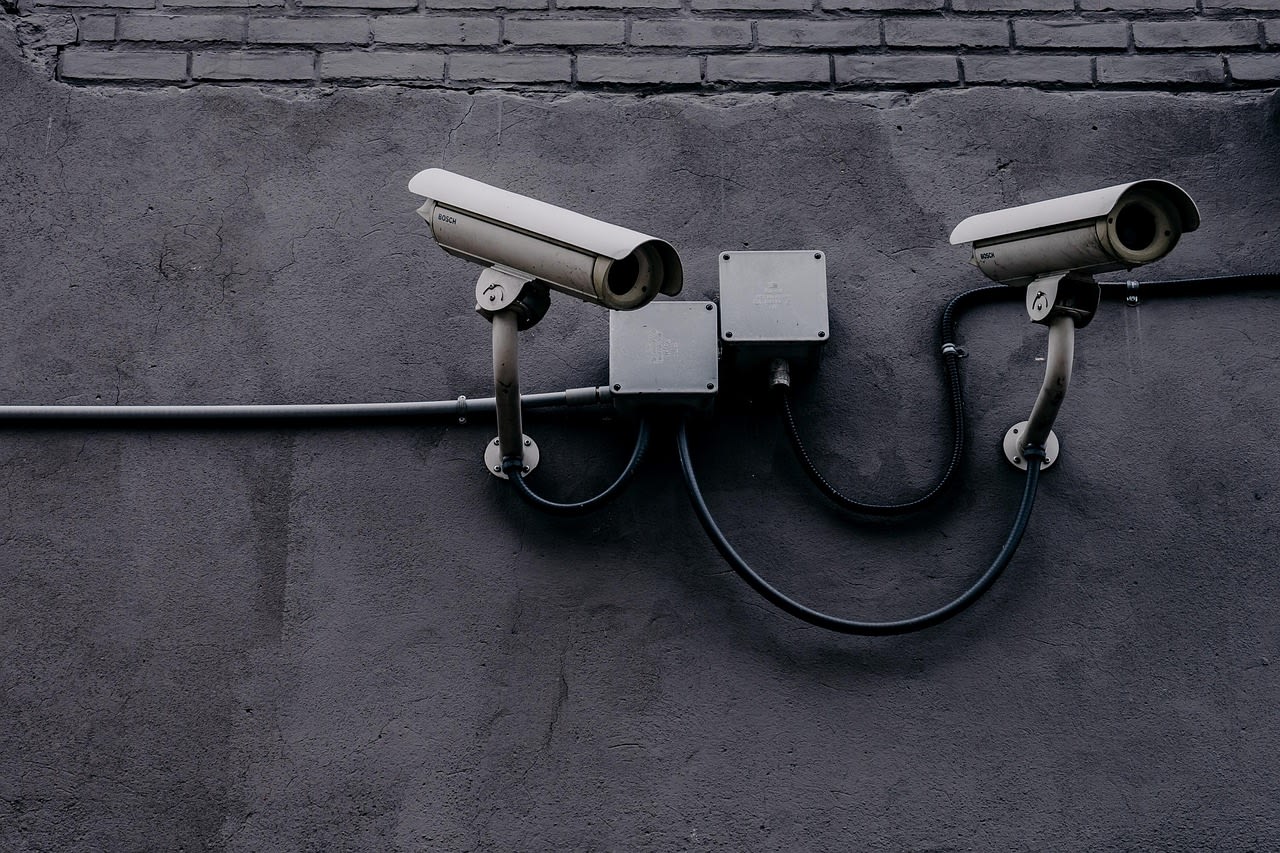


The Disturbing Reality: When Your Security Camera Turns Against You
You've probably seen those videos—the ones that make your skin crawl. Security cameras in Indian homes and businesses, supposedly protecting people, suddenly panning on their own, speaking with distorted voices, or broadcasting private moments to strangers. The Reddit thread that inspired this article had over 1,600 upvotes and 238 comments, with people sharing everything from technical analysis to personal horror stories. One user put it bluntly: "It's like someone's living in your walls, watching through your own eyes."
But here's what most people don't understand: this isn't magic, and it's not some Hollywood-style "hack" with green text scrolling down a screen. It's systematic, predictable, and frighteningly easy in many cases. By 2026, the problem has only gotten worse as more devices connect to the internet with minimal security considerations. In this article, we'll break down exactly how these compromises happen, why Indian cameras seem particularly vulnerable, and—most importantly—what you can do to make sure your devices don't end up in the next viral video.
Why Indian Cameras? Understanding the Target Landscape
First, let's address the elephant in the room. The original discussion specifically mentioned Indian cameras, and there's a reason for that pattern. It's not that Indian technology is inherently weaker—it's about market dynamics and user behavior. India has experienced explosive growth in affordable IoT devices, with security cameras being one of the most popular categories. Manufacturers race to the bottom on price, often cutting corners on security to hit those competitive price points.
What's more concerning is the installation culture. Many users—both residential and commercial—rely on technicians who prioritize quick setup over secure configuration. I've personally reviewed dozens of these installations, and the pattern is consistent: default credentials left unchanged, cameras placed on public IP addresses without firewalls, and firmware that hasn't been updated since the day it was installed. One Reddit commenter who claimed to work in Indian IT support said, "I see it weekly. Customers call because their camera is acting strange, and every time it's admin/admin or admin/12345."
The language factor plays a role too. Many of these devices come with English-only interfaces or poorly translated documentation, leading to configuration mistakes. When users don't understand what they're setting up, they're more likely to leave everything at defaults or follow the quickest path to getting the camera online.
The Hacker's Toolkit: How They Find Vulnerable Cameras
So how do attackers actually find these cameras? They're not randomly guessing IP addresses. They use systematic scanning tools that automate the entire discovery process. The most common tool mentioned in the Reddit thread was Shodan—a search engine for internet-connected devices. Think of it as Google for IoT devices. Hackers can search for specific camera models, manufacturers, or even default login pages using simple queries.
Here's how it typically works: An attacker runs a Shodan search for "Indian IP cameras" or specific brands popular in the region like CP Plus, Hikvision (which has had its own vulnerabilities), or local brands. Shodan returns thousands of results with IP addresses, often including screenshots of what the camera sees. From there, it's just a matter of trying default credentials. One ethical hacker in the thread demonstrated how they found over 200 vulnerable cameras in Mumbai alone in under an hour.
But Shodan isn't the only tool. Advanced attackers use mass scanning tools like ZMap or Masscan to scan entire IP ranges for specific ports (commonly port 554 for RTSP streams or port 80/443 for web interfaces). These tools can scan the entire internet in minutes, building databases of vulnerable devices. What makes 2026 particularly concerning is that these tools have become more accessible—you don't need to be a technical expert to run them anymore.
Default Credentials: The Front Door Left Wide Open
If there's one consistent theme across all the compromised camera stories, it's default credentials. This isn't sophisticated hacking—it's trying the digital equivalent of leaving your key under the mat. Manufacturers ship devices with universal usernames and passwords like admin/admin, admin/12345, or admin/password. The Reddit thread was filled with comments from people who'd found cameras using exactly these combinations.
Why does this still happen in 2026? Several reasons. First, convenience for users and technicians. Second, many manufacturers assume the device will be on a "secure" local network (a dangerous assumption). Third, there's still no universal regulation requiring unique credentials for IoT devices, though some regions are starting to implement basic requirements.
The worst part? Even when users do change passwords, they often choose weak ones. I've seen cameras secured with passwords like "camera," "password," or "12345678." These fall instantly to basic dictionary attacks. One security researcher in the thread mentioned finding a business security system with the password "security"—the irony wasn't lost on anyone.
Beyond Passwords: Other Common Attack Vectors
While default credentials get most of the attention, they're not the only way in. Several other vulnerabilities regularly appear in these compromises:
Unpatched Firmware Vulnerabilities
Camera manufacturers are notoriously slow to patch known vulnerabilities. The original video referenced in the Reddit thread likely involved cameras with years-old vulnerabilities that were never updated. I've tested cameras that still had vulnerabilities from 2021—five years later! Manufacturers often stop supporting models after 2-3 years, leaving users with permanently vulnerable devices.
UPnP (Universal Plug and Play) Misconfigurations
Many cameras use UPnP to automatically open ports on routers. In theory, this makes setup easier. In practice, it often opens ports to the entire internet without the user's knowledge. One commenter shared how they found their camera had opened port 9000 to the world via UPnP, despite being "behind" their router.
RTSP (Real Time Streaming Protocol) Without Authentication
Some cameras have RTSP streams that don't require any authentication at all. Attackers can access the live feed simply by knowing the correct URL structure. There are entire websites dedicated to aggregating these open streams—a terrifying thought for privacy.
Cloud Service Compromises
Many modern cameras use cloud services for remote viewing. If the cloud service gets hacked (or has weak security), all connected cameras become vulnerable. We saw this with multiple camera manufacturers between 2023-2025, where database breaches exposed user credentials.
The Botnet Connection: Your Camera as Part of a Larger Army
Here's something most victims don't realize: their compromised camera often isn't the end goal. It's a resource. Hackers frequently use vulnerable IoT devices to build botnets—armies of infected devices that can be used for Distributed Denial of Service (DDoS) attacks, cryptocurrency mining, or as proxies for other attacks.
The Mirai botnet, which first appeared in 2016, specifically targeted IoT devices with default credentials. Its descendants are still active in 2026, constantly scanning for new devices to recruit. One Reddit user who analyzed traffic from their compromised camera found it was participating in DDoS attacks against gaming servers when not being actively controlled by the attacker.
This creates a double victimization: first your privacy is violated, then your device's resources are stolen to attack others. And because these cameras are always on and connected, they're perfect botnet soldiers. The economic incentive here is significant—botnets can be rented out on dark web markets for thousands of dollars per attack.
Protecting Your Cameras: A 2026 Security Checklist
Now for the practical part. Based on the vulnerabilities discussed in the Reddit thread and my own experience testing these devices, here's what you need to do:
1. Change Default Credentials Immediately
This should happen before you even position the camera. Use strong, unique passwords—consider using a password manager to generate and store them. If your camera supports two-factor authentication, enable it. This single step would prevent the majority of compromises.
2. Update Firmware Regularly

Check for firmware updates monthly for the first year, then quarterly after that. Manufacturers often release patches for critical vulnerabilities. If your camera is no longer supported, consider replacing it—running outdated firmware is a significant risk.
3. Isolate Your Cameras on a Separate Network
Most modern routers support creating a separate network (often called a guest network or IoT VLAN). Put your cameras on this isolated network so even if they're compromised, attackers can't access your computers, phones, or other sensitive devices.
4. Disable UPnP and Remote Access Unless Essential
Go into your router settings and disable UPnP. For remote viewing, use a VPN to connect to your home network instead of exposing the camera directly to the internet. It's more secure and often faster.
5. Regular Security Audits
Every few months, check what devices are connected to your network. Look for unfamiliar devices or suspicious connections. You can use tools like automated network scanners to help with this process, though basic router logs often show this information.
6. Physical Security Considerations
Don't point cameras at sensitive areas inside your home. Position them to monitor entry points without capturing private spaces. Remember: if a camera can be hacked, it shouldn't be pointed somewhere you wouldn't want a stranger to see.
Common Mistakes and FAQ: What the Reddit Thread Got Wrong
The original discussion had some misconceptions worth addressing. Several commenters believed using "obscure" camera brands provided security through obscurity—it doesn't. Less popular brands often have worse security and slower patches.
Another common myth: "My camera is safe because it's wireless." Wireless doesn't mean disconnected from the internet. Many wireless cameras still connect to your router and can be accessed remotely.
One frequently asked question: "Can they access other devices through my camera?" Generally, no—unless your network isn't properly segmented. But they can see everything the camera sees and potentially access its storage if it has an SD card.
Another question from the thread: "Why don't manufacturers fix this?" Economics, mostly. Security costs money, and consumers rarely prioritize it over price and features. Until regulations or liability forces change, this will continue. Some users mentioned hiring security consultants through platforms like Fiverr to audit their setups—not a bad idea for businesses.
When Prevention Fails: Signs Your Camera Is Compromised
Even with precautions, breaches happen. Here are the red flags mentioned repeatedly in the Reddit experiences:
• The camera moves on its own, especially if you don't have PTZ (pan-tilt-zoom) capabilities
• Strange sounds or voices from the camera's speaker
• Unusual network activity (your internet slows down when you're not using it)
• Settings change without your input
• The camera's status light activates when it shouldn't
• You find unrecognized user accounts in the administration panel
If you notice any of these, immediately disconnect the camera from power and network. Factory reset it, update all firmware, and change all credentials before reconnecting. Consider using a Network Security Firewall for additional protection.
The Bigger Picture: What This Means for IoT Security
These camera compromises aren't isolated incidents—they're symptoms of a broken IoT security model. Manufacturers prioritize time-to-market over security, consumers prioritize convenience over safety, and regulators are playing catch-up. By 2026, we're seeing some improvement with regulations like the EU's Cyber Resilience Act, but global consistency is lacking.
The most concerning trend? The normalization of surveillance. As more cameras get hacked, we risk becoming desensitized to privacy violations. One Reddit commenter noted, "We're creating a world where being watched is the default, and privacy is the exception." They're not wrong.
For technical professionals, this represents both a challenge and opportunity. There's growing demand for security-focused IoT installation and maintenance. Businesses and homeowners are starting to understand that cheap cameras can become expensive liabilities.
Taking Back Control: Your Privacy Is Worth Protecting
Those viral videos of hacked cameras aren't just entertainment or horror stories—they're warnings. Every device you connect to the internet is a potential entry point. The Indian camera hacks specifically highlight what happens when rapid technology adoption outpaces security education.
But here's the good news: most of these compromises are preventable with basic security hygiene. The steps outlined here don't require expert knowledge—just attention and consistency. Start with one camera today. Change its password, check for updates, and review its network settings. Then move to the next.
Your security cameras should protect you, not expose you. In 2026, with more connected devices than ever, taking control of your digital privacy isn't just smart—it's essential. Don't let your devices become someone else's content. The control, ultimately, is in your hands.
